The official requirements
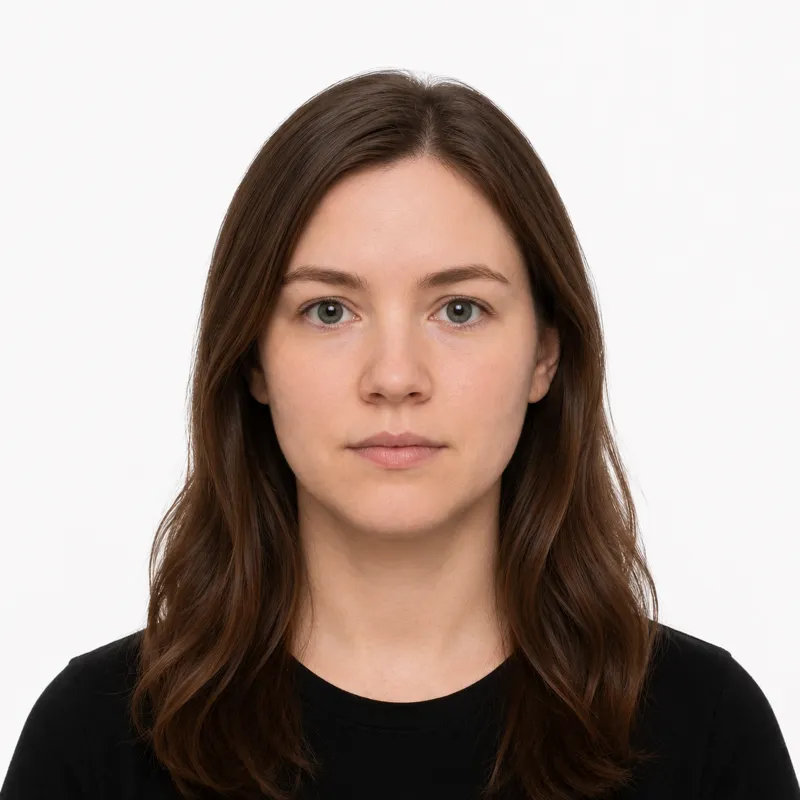
Canada’s passport photo is 50×70 mm, larger than almost every other country’s, and printed copies must carry the studio’s stamp on the back. The IRCC spec, enforced print by print:
- Size: 50×70 mm (width × height), portrait — larger than most countries’ passport photos
- Background: plain white or light-coloured, no shadows
- Head size: 31–36 mm from chin to crown of the head
- Expression: neutral, mouth closed, both eyes open
- Glasses: not allowed (the rule has held since November 2017)
- Recency: taken within the last 6 months
- Color: color photo only
For a digital photo, the file must be a JPEG, at least 420×540 pixels, and no larger than 4 MB.
How to take a compliant photo
The 50×70 mm size is unusually large, and Canada requires the photographer’s details and the date stamped on the back of printed photos — so most applicants use a provider rather than printing at home. If you do shoot your own:
- Stand 4–6 feet from a plain white or pale wall, far enough that no shadow falls behind you.
- Light yourself evenly from the front — face a window. Overhead light casts shadows and can trigger red-eye.
- Have someone else take it from chest height, straight on. A selfie distorts the face.
- Look directly at the camera, neutral expression, hair clear of the eyes.
- Crop to 50×70 mm with the head at 31–36 mm chin to crown — or upload the shot to a tool that crops to the Canadian spec.
Why photos get rejected
IRCC bounces the same handful of problems repeatedly. Each one, and the fix:
- Glasses left on — not permitted since November 2017, even prescription glasses. Take them off.
- Head outside the 31–36 mm window — too large or too small. Re-crop, or re-shoot from the right distance.
- Red-eye — a flash straight into the eyes causes it. Use even front light instead of direct flash.
- Shadows — on the face or behind you. Move away from the wall and light yourself from the front.
- Face not square to the camera — the full face must point directly at the lens, not tilted.
- Photo older than 6 months — it must reflect your current appearance.
What to wear (and not wear)
Canada dropped glasses from passport photos in 2017, and that one rule catches more applicants than any wardrobe choice. Take them off, even prescription glasses.
Avoid: glasses of any kind, hats or caps, anything that casts a shadow on the face. A white or very pale top can blend into a white background, so wear a darker, solid color.
Fine: ordinary everyday clothing, light makeup that keeps your everyday look, religious head coverings worn daily (the face must be fully visible from forehead to chin).
Glasses are the trap: Canada removed glasses from passport photos in 2017, and many applicants still don’t know. Unless documented otherwise, glasses are an automatic rejection.
Where to get your photo
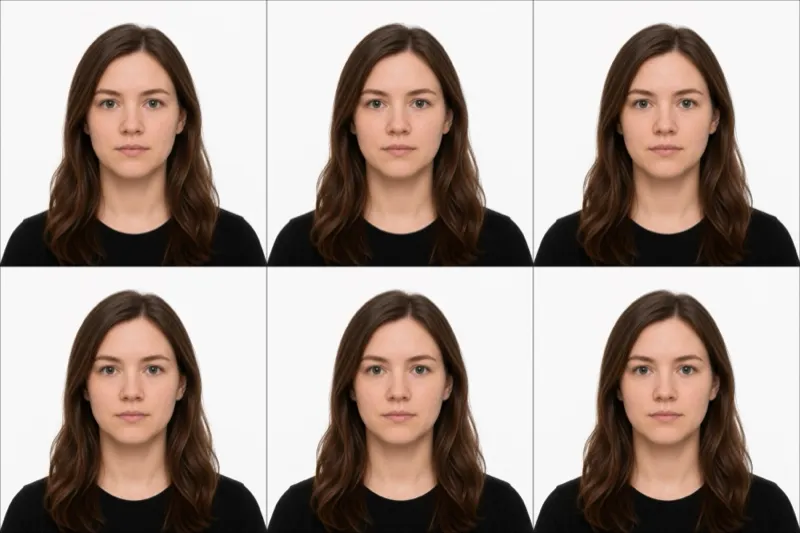
Canada needs two identical prints with the photographer’s name, address, and the date on the back, so most people use a provider. Common options and trade-offs:
| Where | Price (CAD) | Appointment | Speed | Digital file |
|---|---|---|---|---|
| Walmart Canada | ~$16.97 | No | Same day | No |
| Shoppers Drug Mart | ~$17.99 ($14.99–19.99) | No | Same day | No |
| Photo studio | Varies | Sometimes | Same day | Usually |
| Online tool (this site) | ~$1 | No | ~2 minutes | Yes |
In-store is convenient and supplies the stamped prints Canada wants. To make a passport photo online instead, you upload any photo and the tool crops it to the 50×70 mm Canadian spec and gives you a digital file — the format the online renewal route uses. Know the limit of the online option: for a paper application, IRCC only accepts photos taken by a commercial photographer and professionally printed, so a self-printed sheet won’t qualify there. Whichever you pick, the photo only counts if it meets every rule above.
Submitting your photo
Canadian passport applications are largely paper-based:
Paper application — You submit two identical 50×70 mm printed photos, and IRCC is strict about who makes them: the photo must be taken in person by a commercial photographer or photo studio, and professionally printed on plain, high-quality photographic paper. Photos printed at home are explicitly not accepted, so a self-taken shot or a self-printed sheet cannot be used for this route. One photo’s back must carry the photographer’s or studio’s name and address and the date the photo was taken; the other stays available for the guarantor’s signature where one is required.
Digital photo (online renewal) — Online renewal is where a digital photo is used, as a JPEG (at least 420×540 px, under 4 MB). Every other route expects the two studio-made prints, so check your application type before relying on a digital file alone.
Babies, kids & special situations
Infants and toddlers follow the same rules with two allowances: the eyes do not have to be fully open for a newborn, and no one else may appear in the frame. Lay the baby on a plain white sheet and shoot from directly above; a hand supporting the head must not be visible.
Religious head coverings are allowed when worn daily for religious reasons; the face must stay fully visible from forehead to chin.
Glasses are not permitted. If you wear them daily, take them off for the photo.
Ready to skip the studio?
Upload a selfie and get a compliant photo in 2 minutes.
Sources & References
This guide is fact-checked against official government publications and updated regularly to reflect the latest requirements.
- [1] Government of Canada — Passport photoscanada.ca