Print a Passport Photo Sheet at Walmart
Bring a prepared 4×6 file, order an ordinary photo print, then measure and cut the individual photos. Our April 2026 photos show the ordering and pickup workflow.
You can order an already-arranged passport-photo sheet as an ordinary Walmart 4×6 photo print. Walmart’s published print table lists $0.18 for a 4×6 with one-hour pickup, checked September 17, 2026. Confirm the price and available pickup store in your order before paying.

We ran the printing workflow in April 2026. The photos below show the order, pickup, and finished sheet. They document a print test, not a passport approval. The published price above is a later check, not the price shown on an April receipt.
Prepare the sheet before placing the order
Start with a photo that meets the State Department’s passport-photo requirements. Take it against a plain white or off-white background with even lighting. The Department asks for an unedited image, so fix lighting or background problems when taking the photo.
For a paper US passport application, each cut-out photo must measure 2×2 inches. Arrange the copies on a 4×6 canvas without stretching the face. A print shop reproduces the file; selecting the right paper size does not check the portrait itself.
If you need a prepared file, One Dollar Passport Photo offers a digital photo for $1 and a package with the printable sheet for $5. If you already have the sheet, you can go straight to Walmart’s ordering page.
Order an ordinary 4×6 photo print
Select a 4×6 photo print, upload your complete sheet, and choose an available pickup location. This order prints the image you supply; it does not include someone taking your photograph.
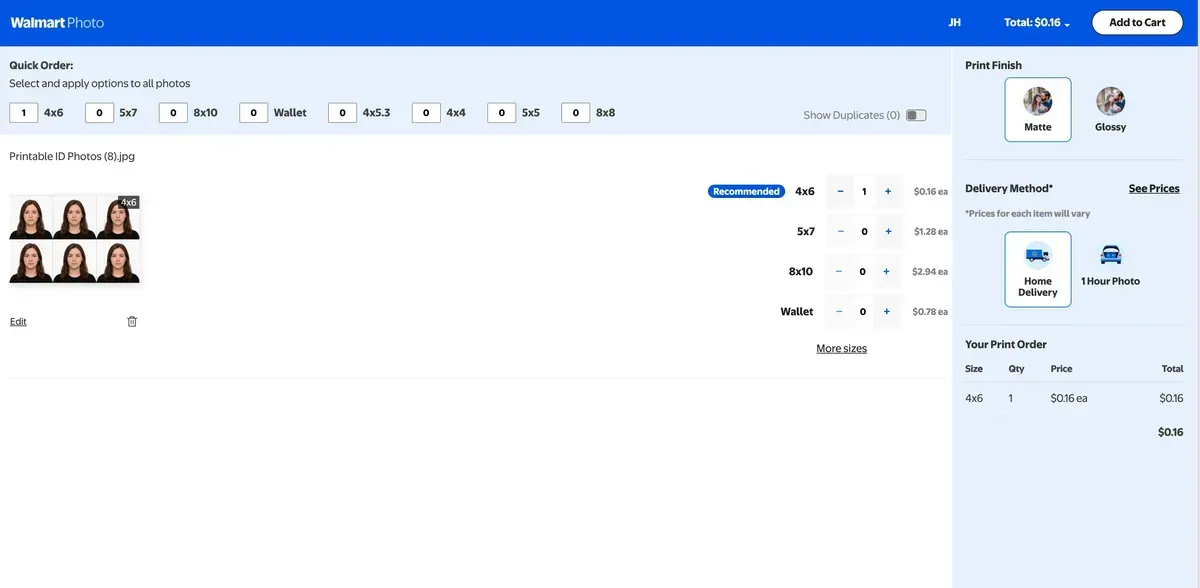
Inspect the preview before checkout. Keep the whole sheet visible and avoid zooming, stretching, filters, or automatic enhancements. Button names can change, so use the preview to confirm that all copies and their edges remain visible.
For one sheet, the example total is $5 for our print package + $0.18 for Walmart printing = $5.18 before tax, at the published rate checked above. Shipping, optional extras, and price changes are separate. The $1 digital tier does not include our print-sheet package.
Measure the print before cutting
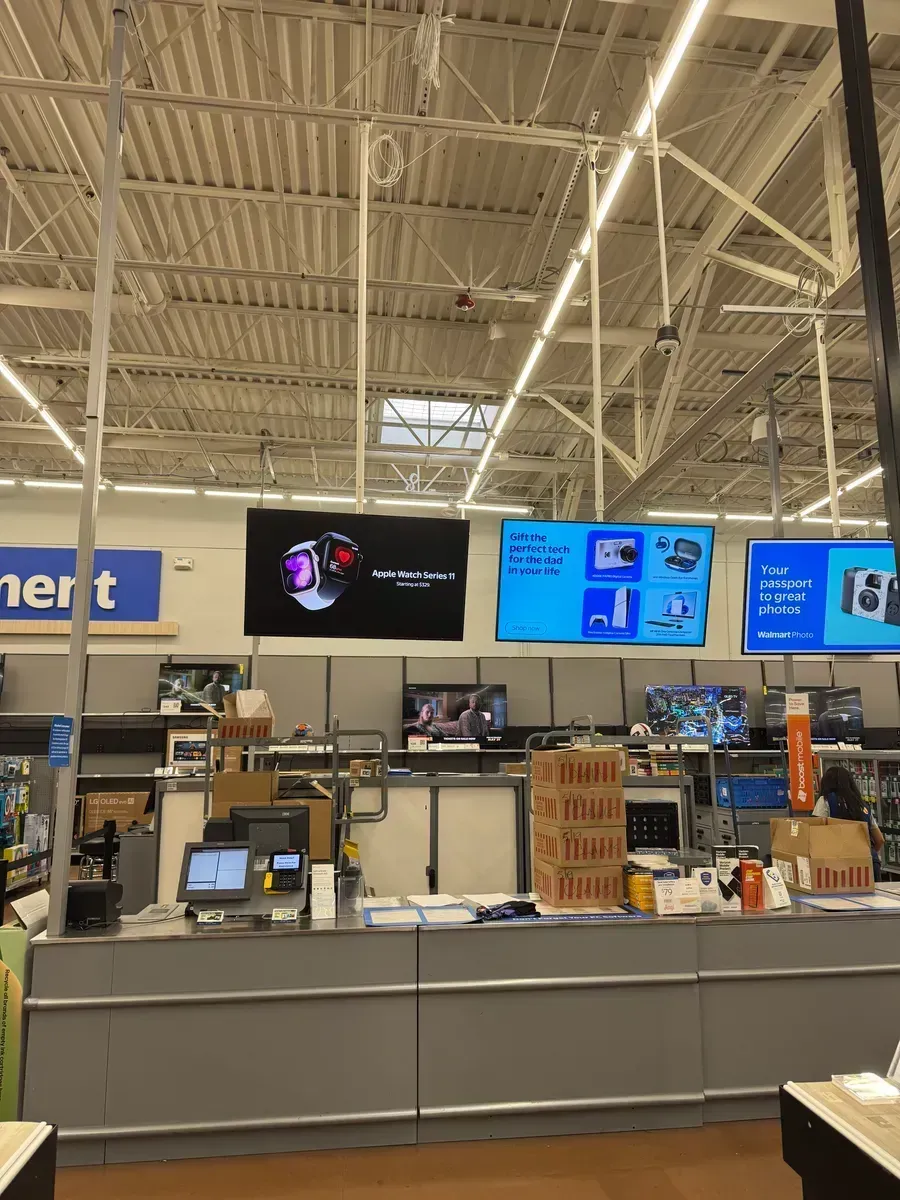
Wait for the pickup confirmation. Our April order was collected at the Photo Center counter:
Before cutting, use a ruler to measure one photo’s width and height. For a US passport they should both be 2 inches. If the layout has shrunk, stretched, or lost an edge, correct the print settings before ordering another sheet. Also look for blur, printer marks, and unnatural colors.
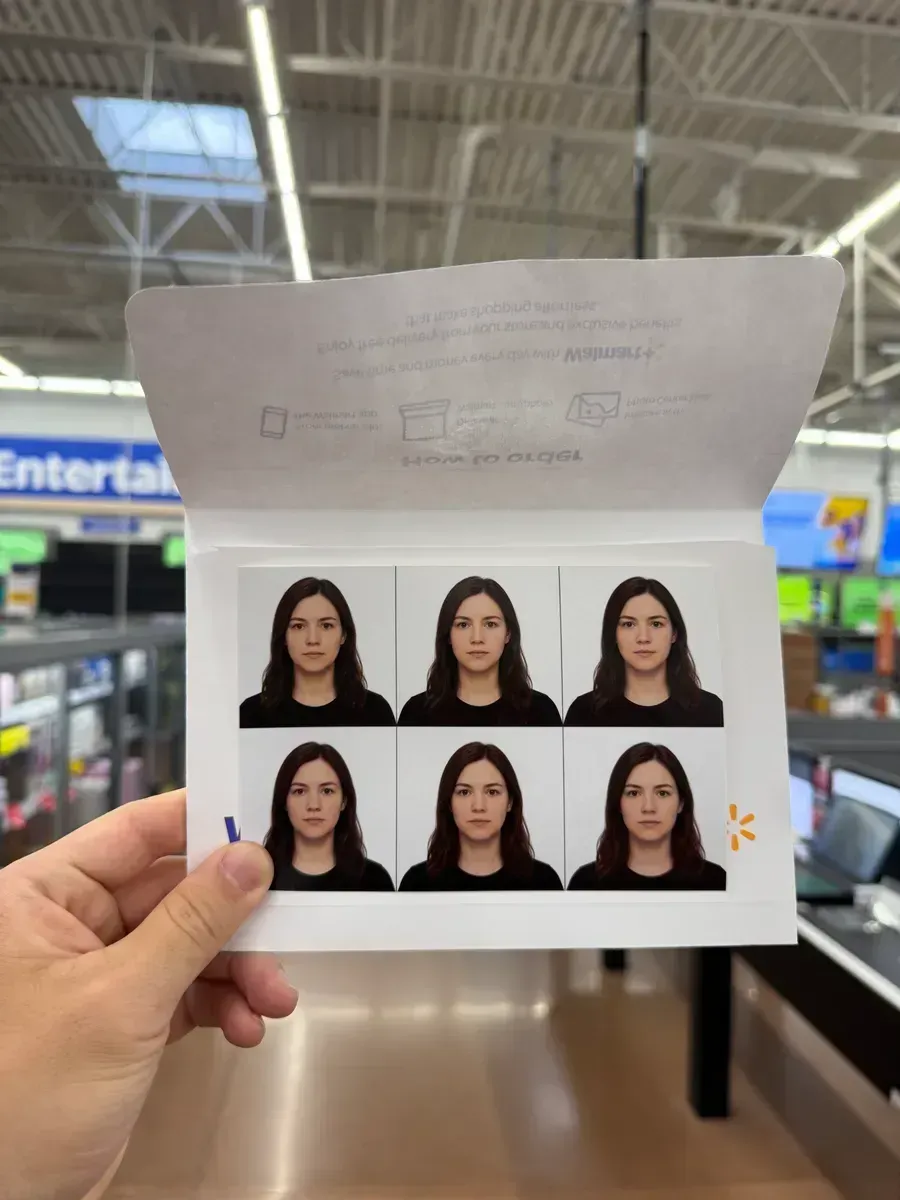
Cut along the individual photo borders. For another document, check that document’s dimensions rather than reusing the US passport crop. You can find the relevant photo requirements before preparing the file.
If you need a digital photo instead
Online renewal does not require this printing step. Follow the State Department’s digital upload instructions and retain the original file. A scan or photograph of the Walmart print is not a replacement for it.
Frequently Asked Questions
What if my Walmart Photo Center has closed?
Check the pickup locations offered for your actual print order. A Walmart address alone does not confirm that photo printing is available there.
Can I scan the print for online passport renewal?
No. The State Department says not to scan a printed photo or photograph a print for online renewal. Use the original digital photo and follow the online renewal upload instructions.
Prepare your passport photo file
Choose the $1 digital photo or the $5 package with a print-ready sheet. Walmart printing is paid separately.
Prepare my photoAlready have a correctly sized sheet? Order it directly from Walmart Photo.