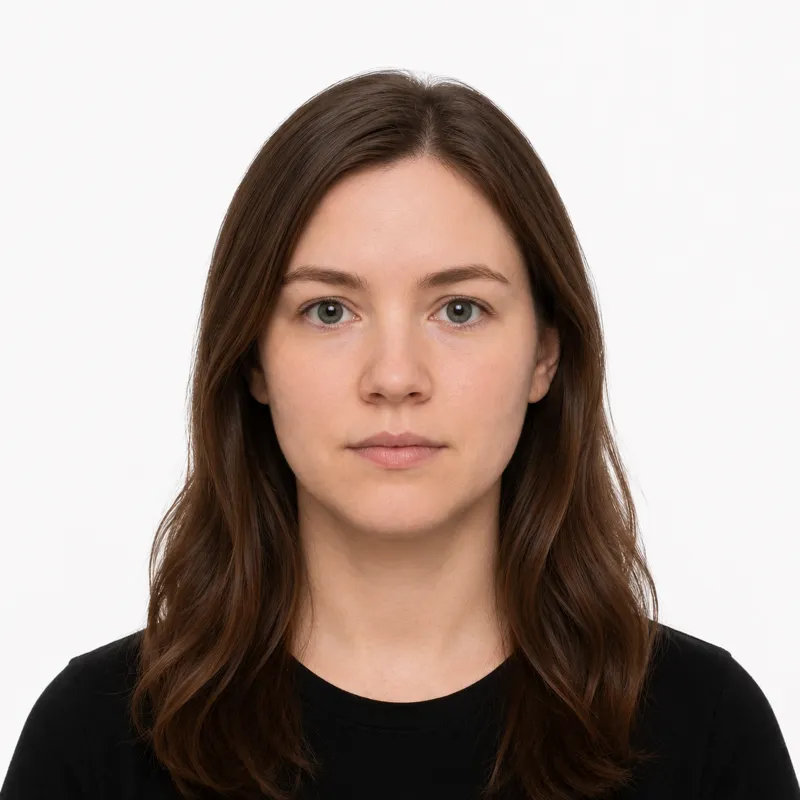
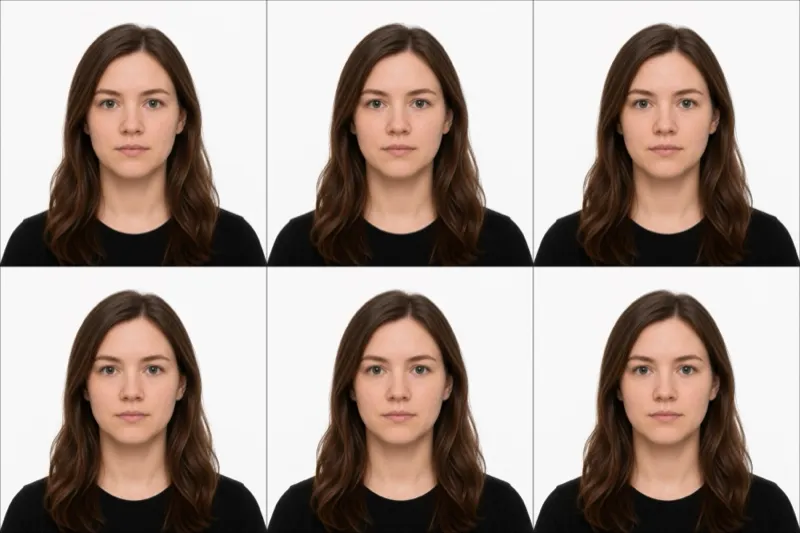
⚠ Always verify the current spec at passports.gov.au before printing or submitting. Australian passport rules can change without public notice — particularly around digital myGov submission, which is being rolled out gradually.
The official requirements
The Australian Passport Office (DFAT) sets these rules. Miss any one and the photo is rejected:
- Size: 35 mm wide × 45 mm tall
- Background: plain white or light grey, no patterns, shadows or marks
- Head size: 32–36 mm from chin to crown (about 70–80% of the photo height)
- Expression: neutral, eyes open, mouth closed (for anyone over 3 years)
- Glasses: not allowed — even prescription glasses — unless you have a medical certificate
- Recency: taken within the last 6 months and a true likeness of you today
- Color: colour photo with natural skin tones, even lighting
- Paper: professional dye-sublimation print on heavy glossy photo paper (200+ gsm). Inkjet prints are explicitly rejected.
Two identical prints are required. Australia does not accept digital photo uploads — every passport photo must be lodged as a physical print.
How to take a compliant photo
A modern phone camera is fine. Australian passport photos fail on framing, background and print quality far more often than on camera resolution. The setup that works:
- Stand 1.5–2 metres in front of a plain white or light grey wall, with the same distance between you and the wall to avoid casting a shadow.
- Use natural, even light from the front — face a window. Skip overhead lighting, which throws shadows under the eyes and nose.
- Have someone else take it. Selfies distort facial proportions and almost always frame the head wrong for the 35×45 mm crop.
- Look straight at the camera, neutral expression, mouth closed, both eyes visible. Hair clear of the eyes and ears.
- Crop so your head fills the right share of the frame — 32–36 mm chin to crown — then send the file to a professional dye-sublimation printer. Do not print it on a home inkjet; DFAT rejects inkjet prints.
Why photos get rejected
DFAT and Australia Post counter staff bounce the same handful of problems again and again. Each one, and the fix:
- Inkjet print — heavy glossy dye-sublimation paper only. A home inkjet print is an automatic rejection.
- Glasses left on — even prescription glasses. Vision impairment alone is not a valid reason; a medical certificate is.
- Wrong head size — must be 32–36 mm chin to crown. Re-shoot from the right distance, or re-crop.
- Background off-spec — cream walls, textured walls, gradients and visible seams all fail. Plain white or light grey only.
- Shadows — on the face or on the wall behind you. Move away from the wall and light yourself from the front.
- Digital retouching — removing moles, wrinkles, scars or red-eye causes rejection. Background replacement in post is also prohibited.
- Photo older than 6 months — must reflect your current appearance.
- Submitted as a digital file — Australia does not accept uploaded photos. You must lodge two physical prints.
What to wear (and not wear)
There is no formal dress code, but a few choices reliably trigger a rejection.
Avoid: glasses of any kind, hats or caps, headphones or earbuds, uniforms or camouflage, and anything that obscures the face or hairline. White or very pale tops can also blend into a white background — wear a darker, solid colour instead.
Fine: normal everyday clothing, light makeup that doesn’t change your everyday look, religious head coverings worn daily (the face must be fully visible from forehead to chin), and medical devices like hearing aids worn every day.
Glasses are the trap. Many applicants don’t realise the no-glasses rule exists in Australia, and DFAT treats glasses as an automatic rejection unless you have a signed medical certificate.
Where to get your photo
You can take the photo yourself and have it printed, or pay someone to do both. Prices and trade-offs:
| Where | Price (AUD) | Appointment | Speed | Acceptance guarantee |
|---|---|---|---|---|
| Australia Post | ~$19.95 | No | Same day | Yes — DFAT-aligned |
| Officeworks | ~$16.95 | No | Same day | Yes |
| Local pharmacy / chemist | ~$15–20 | No | Same day | Varies |
| Photo studio | ~$25–35 | Usually | Same day | Yes |
| Online tool (this site) — print at home or kiosk | $1.00 | No | ~2 minutes for the file | Money-back if rejected |
Australia Post is the default for a reason: counter staff shoot, crop and print to DFAT spec, and they also lodge passport applications, so you can do both in one visit. Officeworks and most pharmacies are cheaper and usually fine. The online route is the cheapest if you already have a good shot, but you still need a dye-sublimation print on glossy paper — a home inkjet won’t pass. Send the file to a photo kiosk or counter for the print.
Submitting your photo
Australia has a single submission path for passport photos: in person, on paper.
You bring two identical printed photos to an Australia Post outlet that accepts passport applications, or to an Australian diplomatic mission overseas. The counter officer checks the photo against DFAT guidelines on the spot. If anything is off — head size, background, glasses, print quality — they hand it back and you’ll need new prints before the application can be lodged.
There is no portal upload, no app upload, no email submission. Even renewals lodged through Australia Post require two physical prints. Plan the photo step before your application appointment, not at the counter.
Babies, kids and special situations
Infants and young children follow the same 35×45 mm rules as adults — plain background, no toys, no dummies, no hands or arms in the frame. For newborns, lay the baby on a plain white sheet and shoot from directly above; a parent’s hand supporting the head is allowed only if it is not visible in the final crop. The mouth-closed rule does not apply to children under 3.
Religious head coverings worn daily are permitted, but the full face — from the bottom of the chin to the top of the forehead, and both edges of the face — must be clearly visible.
Glasses are not permitted, even prescription. Vision impairment alone is not a valid exception; you need a signed medical certificate (for example, recovering from eye surgery).
Medical devices such as hearing aids or oxygen tubes worn every day are fine and should be visible as you normally wear them.
Ready to skip the studio?
Upload a selfie and get a compliant photo in 2 minutes.
Sources & References
This guide is fact-checked against official government publications and updated regularly to reflect the latest requirements.
- [1] Australian Passport Office — Passport photo guidelinespassports.gov.au