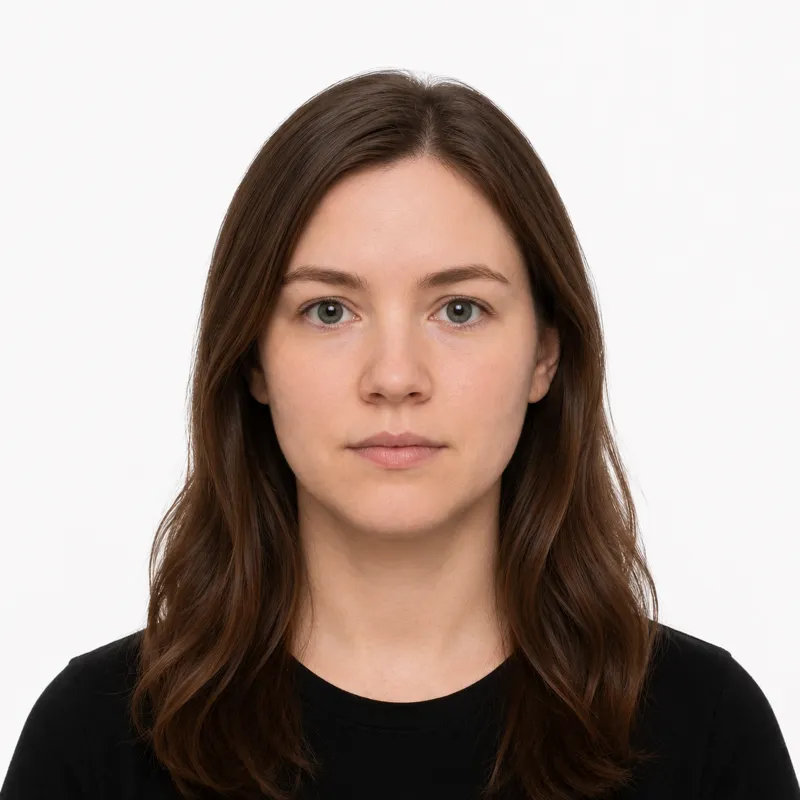
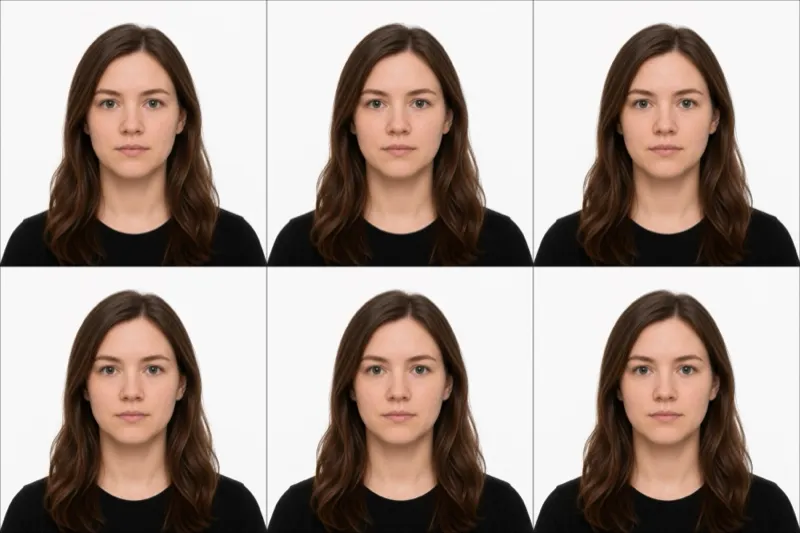
The official requirements
New Zealand is the rare country that does not want a white background: the DIA asks for a light blue, grey or cream backdrop that contrasts with your face, and pure white is explicitly not recommended. The rest of what it checks:
- Size: 35 mm wide × 45 mm tall (printed); 3:4 portrait aspect ratio for digital uploads
- Background: plain, light-coloured background — light blue, grey or cream — with strong contrast to your face. Pure white is not recommended.
- Head size: 60–70% of the photo height (about 29–34 mm chin to crown), with space around the top and sides; include shoulders and upper chest
- Expression: neutral, no smiling, mouth closed, both eyes open and looking straight at the camera
- Glasses: allowed if they are prescription, not tinted or sunglasses, not thick-framed, with a clear gap between your eyes and the frames and no lens glare
- Recency: taken within the last 6 months and a true likeness of you today
- Colour: colour photo with natural skin tones, even lighting, no shadows
- Digital file (online application): JPEG, 900×1200 to 4500×6000 pixels, 250 KB to 5 MB
Scans or photographs of a printed photo are not accepted for online applications — you must upload a file taken directly from a camera.
How to take a compliant photo
A modern phone camera is more than good enough — New Zealand passport photos fail on background colour and head size far more often than on camera quality. The setup that works:
- Stand at least 0.5 m in front of a light-coloured wall (light blue, grey or cream — not pure white). Have the photographer 1.5 m back from you with the camera at your eye level.
- Use natural, even light from the front — face a window. Skip overhead light, which throws shadows under the eyes and on the background.
- Have someone else take it. Selfies distort facial proportions and the DIA online photo checker flags close-range shots.
- Look straight at the lens, neutral expression, mouth closed, both eyes open, hair clear of your eyes.
- Frame the head so it fills 60–70% of the photo height with even space around the top and sides — then run the JPEG through the DIA online photo checker before you start the application, or use a tool that validates against the spec for you.
Why photos get rejected
The DIA’s online photo checker and counter staff bounce the same handful of problems again and again. Each one, and the fix:
- White background — pure white is explicitly not recommended; the photo loses contrast with your face. Use a light blue, grey or cream wall.
- Selfie or close-range shot — the camera must be 1.5 m back, not arm’s length. Selfies distort the nose and forehead.
- Wrong head size — the face must fill 60–70% of the photo (29–34 mm chin to crown). Re-shoot from the right distance, or re-crop.
- Shadows on face or background — even lighting from the front; move 0.5 m off the wall so you don’t cast a shadow on it.
- Tinted, thick-framed or glare-covered glasses — prescription glasses are allowed, but only if they are clear, thin-framed and the lenses don’t reflect the light. Sunglasses are an automatic rejection.
- Smiling, mouth open, or eyes closed — neutral expression, mouth closed, both eyes open.
- Filters or digital edits — any beautifier, AI retouch or background swap voids the photo.
- Photo older than 6 months — it must reflect your current appearance.
What to wear (and not wear)
Glasses are the choice that needs the most care here: New Zealand still allows everyday prescription frames, but only clear, thin ones with no glare, so anything tinted, thick, or reflective is a straight rejection.
Avoid: sunglasses, tinted lenses, thick-framed glasses, hats or caps, headphones or earbuds, uniforms, and anything that obscures the face or hairline. A pale top can wash into a light grey or cream background — wear a darker, solid colour for contrast.
Fine: normal everyday clothing, light makeup that doesn’t change your everyday look, thin-framed prescription glasses worn every day, religious head coverings worn daily (the full face from chin to forehead must be visible), and medical devices such as hearing aids.
Glasses are the trap most people get wrong. New Zealand is one of the few countries that still permits prescription glasses — but only if they are clear, thin-framed and free of glare. If yours are heavy or you get any reflection in test shots, take them off.
Where to get your photo
You can take the photo yourself and upload it, or pay a provider to shoot, crop and (optionally) print it. Prices and trade-offs:
| Where | Price (NZD) | Appointment | Speed | Digital file | Acceptance guarantee |
|---|---|---|---|---|---|
| NZ Post | ~$19.99 | No | Same day | Yes (extra) | Yes — DIA-aligned |
| Warehouse Stationery | ~$15.00 | No | Same day | Yes | Varies |
| Local pharmacy | ~$15–20 | No | Same day | Sometimes | Varies |
| Photo studio | ~$25–35 | Usually | Same day | Yes | Yes |
| Online tool (this site) | $1.00 | No | ~2 minutes | Yes | Money-back if rejected |
NZ Post is the default — staff shoot to DIA spec and the print is sized for both physical lodgement and digital upload. Warehouse Stationery and pharmacies are cheaper and usually fine for a straight passport renewal. The online route is cheapest and you skip the trip, but you still need a clean shot against a light-coloured wall to start with — feed the file through the DIA’s online photo checker before you commit it to your application.
Submitting your photo
New Zealand has two paths, and the photo rules differ slightly between them:
Online application (the default for most renewals) — You upload a JPEG (900×1200 to 4500×6000 px, 250 KB to 5 MB) through the DIA passport portal. The portal runs an online photo checker that flags problems with size, background, head position and lighting before you submit, so a wrong crop or a glare on your glasses gets caught immediately. Scans of printed photos are explicitly rejected here — the file must come straight from a camera.
Paper application (first-time adults, some renewals, applications from overseas) — You include two identical printed photos with your application form. The print must meet the same 35×45 mm size and content rules.
Whichever path you take, the photo rules are identical — only the format differs. Run the digital file through the DIA checker either way; a passing JPEG also gives you a known-good template to print from.
Babies, kids and special situations
Infants and young children follow the same 35×45 mm rules, but the DIA relaxes a few of them. Babies can have their eyes closed; very young children do not have to hold a perfectly neutral expression. No dummies, no toys, no hands or arms visible in the frame. For newborns, lay the baby on a plain, light-coloured sheet (not white) and shoot from directly above with even light.
Religious head coverings worn daily are permitted. The full face — from the bottom of the chin to the top of the forehead, including both edges of the face — must be clearly visible.
Glasses are allowed under the conditions above. If you genuinely cannot remove them, prescription glasses are fine; sunglasses, tinted lenses and thick frames are not.
Medical devices such as hearing aids or oxygen tubes worn every day are fine and should be visible as you normally wear them.
Ready to skip the studio?
Upload a selfie and get a compliant photo in 2 minutes.
Sources & References
This guide is fact-checked against official government publications and updated regularly to reflect the latest requirements.
- [1] Department of Internal Affairs — Passport photo requirementspassports.govt.nz