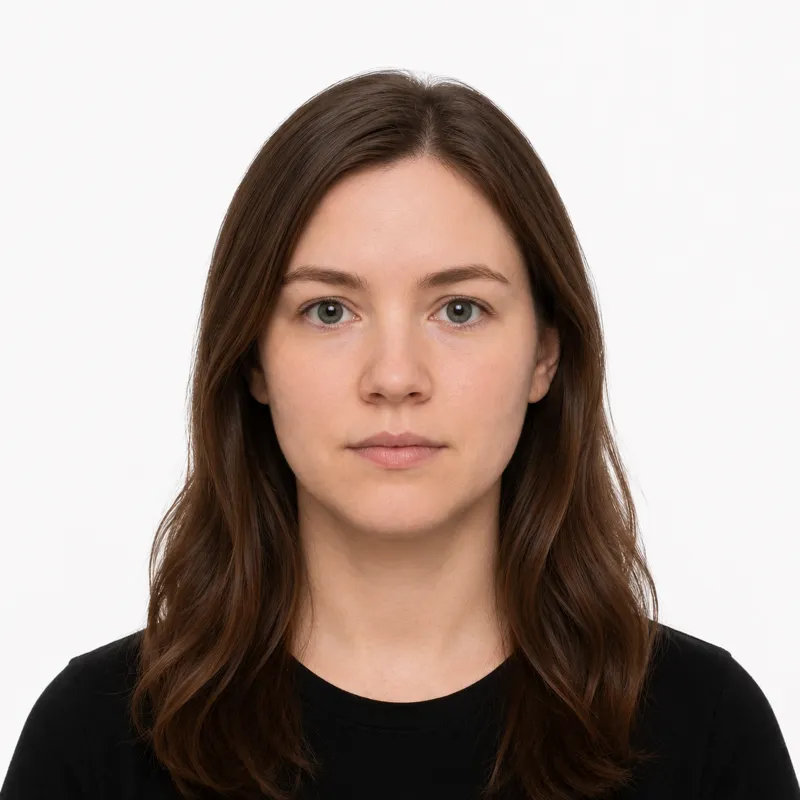
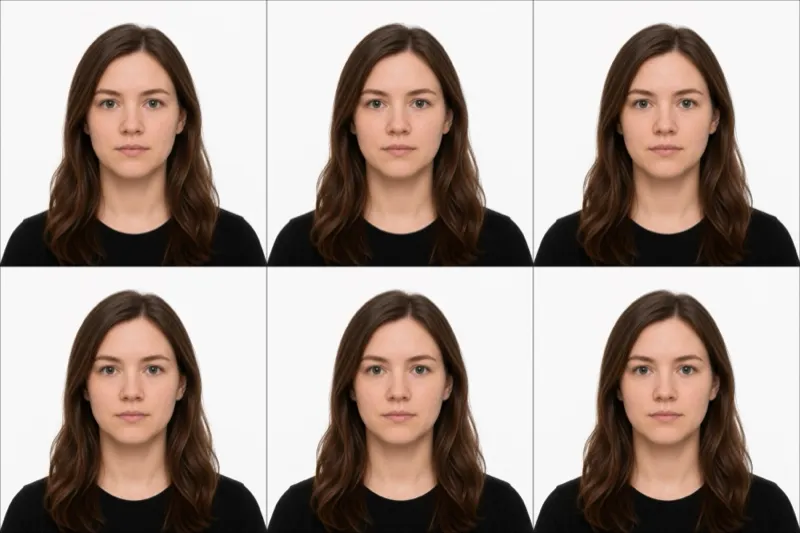
The official requirements
The number that trips people up is the size: Vietnam wants 40×60 mm (4×6 cm), taller than the 35×45 mm photo most of the region shares, so a print cut to a neighbouring country’s spec won’t fit. The rest of the rule set:
- Size: 40×60 mm (4×6 cm), portrait
- Background: plain white, no patterns, shadows, or objects
- Head size: the head fills 43–53% of the photo height (26–32 mm chin to crown). The 40 mm width is the constraint here, not the height, which is why the head share is lower than the “70–80%” figure floating around for square photos
- Expression: neutral, both eyes open, looking straight at the camera
- Glasses: not allowed, even clear prescription lenses
- Recency: taken within the last 6 months
- Color: color only
One quiet trap lives inside that list: a white or very pale top blends into the white background and is the single most common avoidable rejection. Wear a dark or clearly coloured collared top so your shoulders read as a separate shape.
Counter photo vs. e-visa upload
Vietnam doesn’t have one photo process, it has two, and which rules bite depends on what you’re applying for:
- Vietnamese passport (in person). The photo is taken at the Immigration Department counter when you lodge the application. There’s no upload and no retake queue, so the thing you control is what you show up in: hair tidy, glasses off, a dark top. Some routes also ask you to bring two identical printed 40×60 mm photos, so carry a pair just in case.
- Vietnam e-visa (visitors). This is digital only. You upload a JPG portrait file under 1 MB to the same 40×60 mm standard, plus a separate scan of your passport data page. The portal keeps the two in different slots, and putting the data-page scan in the portrait slot is a common self-inflicted rejection.
If you’re a traveller reading this, you almost certainly want the e-visa path. If you’re a Vietnamese citizen renewing a passport, the counter handles the photo and the sections below about shooting and file specs apply only to the practice shot you take to check your appearance.
How to shoot the upload version
For the e-visa upload (or a counter practice shot), a phone photo against a wall is enough if you set it up right:
- Stand 4–6 feet from a plain white wall, far enough that no shadow falls behind you.
- Light yourself evenly from the front. Face a window; overhead light drops shadows under the eyes and nose.
- Wear a dark or clearly coloured top, never white.
- Have someone else shoot it from chest height, straight on. A selfie at arm’s length bends the nose and forehead out of proportion.
- Neutral expression, both eyes open, hair clear of the face, glasses off.
Then crop to 40×60 mm with the head filling 43–53% of the frame before you export.
Why photos get rejected
The portal and the counter bounce the same handful of problems. Each one and its fix:
- Background isn’t plain white: a wall pattern, a shadow, or an object behind you. Move further off the wall and add front light.
- Glasses left on: even clear lenses glare and hide the eyes. Take them off; Vietnam allows no exception short of a documented medical one.
- White or pale top: blends into the background so the shoulders vanish. Switch to a dark colour.
- Head wrong size: too small reads as low quality, too large crops the crown. Aim for 26–32 mm chin to crown.
- File rejected on format or size: covered in detail below; this is e-visa specific.
- Photo older than 6 months: it has to match how you look now.
The e-visa file rules (472×709, JPG, 1MB)
The e-visa portal is stricter about the file than most photo guides admit, and these are the rules that get a perfectly composed photo rejected at upload:
- Format: JPG/JPEG only. PNG and PDF are refused outright. A phone that saves HEIC needs converting first.
- Pixel size: 472×709 px. That’s 40×60 mm at roughly 300 dpi. Smaller and it reads as low-resolution.
- Max size: 1 MB. A modern phone photo is often 3–5 MB straight off the camera, so you’ll usually need to compress it down.
- One portrait per slot. Keep the face photo and the passport data-page scan clearly named so you don’t upload one into the other’s field.
When we ran a 40×60 mm photo through our own photo checker against the Vietnam spec in June 2026, the head-height check enforced the 43–53% range to the point that a crop framed to the wrong “70–80%” figure failed on head size before any of the file rules even applied. The composition has to be right and the file has to be right; the two checks are independent.
Where to get your photo
For the passport, the counter is the only place the official photo is made, so “where to get it” really means where to produce the e-visa upload (or a counter practice shot). The honest comparison:
| Option | Price | Speed | Digital file | Best for |
|---|---|---|---|---|
| Immigration Department counter | included in application fee | taken on the spot | no | the passport photo itself (no choice here) |
| Local photo studio (Vietnam) | ~50,000–100,000₫ | 10–15 min | sometimes | printed 40×60 mm if a route asks for prints |
| Pharmacy/print shop abroad | $12–17 | 5–10 min | rarely sized to VN | a printed photo in a pinch, often wrong size |
| Our online tool | $1 | ~2 min | yes, JPG sized + compressed | the e-visa upload, file already under 1 MB |
For the e-visa specifically, the file rules above are where most people get stuck, so a tool that exports a correctly sized, sub-1 MB JPG saves the compress-and-retry loop. Whichever route you use, the photo only counts if it clears every rule in the first section.
Frequently asked questions
Can I reuse my passport photo for the e-visa? Only if it meets the e-visa file rules: a JPG under 1 MB at 472×709 px. A printed counter photo won’t, and a scan of it usually fails on quality. Shoot or export a fresh digital file for the upload.
My passport is 35×45 mm from another country. Can I use that size? No. Vietnam is a 40×60 mm spec. A 35×45 print is too short and too narrow, and the head ratio won’t match. Re-crop to 40×60 mm.
Do I need printed photos for the passport, or just show up? The counter takes the official photo, but some application routes still ask for two identical 40×60 mm prints on file. Bring a pair so a clerk asking for them doesn’t send you back out.
Are glasses ever allowed? Only with a documented medical reason, and even then the eyes must be fully visible with no glare. For everyone else it’s an automatic rejection, clear lenses included.
The portal rejected my upload but the photo looks fine. Why? Almost always the file, not the face: wrong format (PNG/HEIC instead of JPG), over 1 MB, or the data-page scan dropped into the portrait slot. Check those three before reshooting.
Ready to skip the studio?
Upload a selfie and get a compliant photo in 2 minutes.
Sources & References
This guide is fact-checked against official government publications and updated regularly to reflect the latest requirements.
- [1] Vietnam National E-Visa Portal — Photo guidanceevisa.xuatnhapcanh.gov.vn