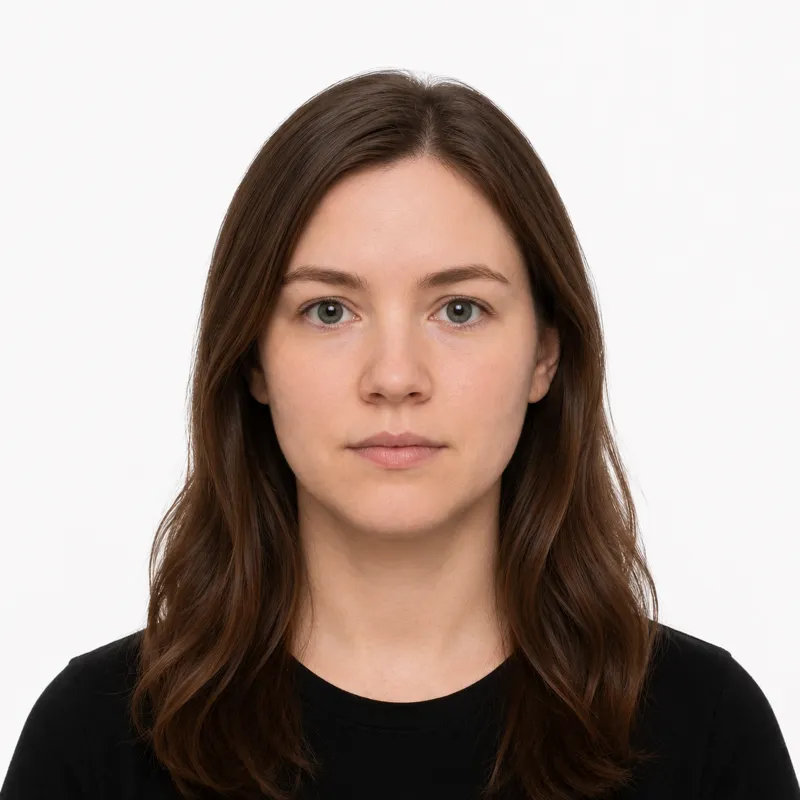
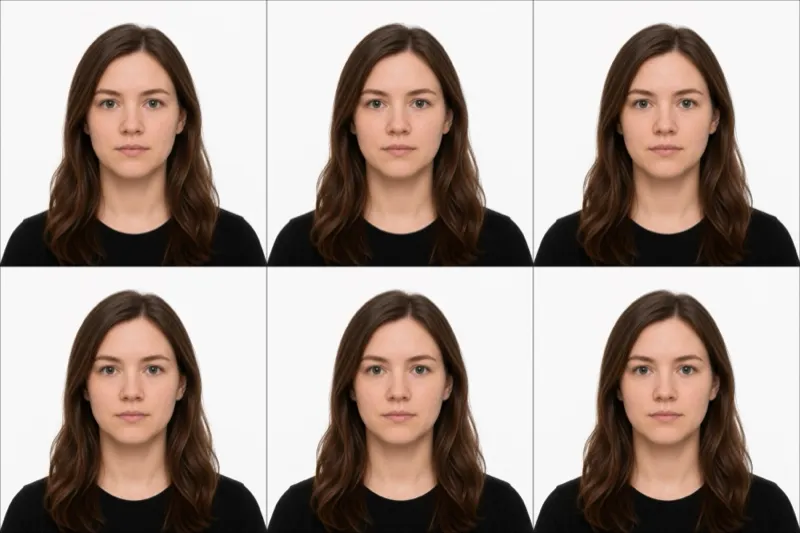
The official requirements
The US Department of State sets these rules. A photo that misses any of them is rejected:
- Size: exactly 2×2 inches (51×51 mm), square
- Background: plain white or off-white, no shadows
- Head size: 1 to 1⅜ inches (25–35 mm) from chin to crown
- Eyes: between 1⅛ and 1⅜ inches from the bottom of the photo
- Expression: neutral, or a natural smile with mouth closed; both eyes open
- Glasses: not allowed (the rule has held since November 2016)
- Recency: taken within the last 6 months
- Color: color photo, not black and white
For an online renewal upload, the digital file must be 600×600 to 1200×1200 pixels and 54 KB to 240 KB.
How to take a compliant photo
A modern phone camera is good enough — passport photos fail on framing and lighting far more than on camera quality. The setup that works:
- Stand 6–8 feet in front of a plain white wall, with 6–8 feet between you and the wall so you don’t cast a shadow.
- Face a window — natural, even light from the front. Avoid overhead light, which casts shadows under the eyes.
- Have someone else take it. Selfies distort facial proportions and usually frame the head wrong.
- Look straight at the camera, neutral expression, both eyes open, hair clear of your eyes.
- Crop to the 2×2 square with your head sized correctly — or upload the shot to a tool that crops and validates against the spec for you.
Why photos get rejected
Acceptance facilities and the online renewal photo-check bounce the same handful of problems again and again. Each one, and the fix:
- Glasses left on — still the single most common rejection. Take them off, even prescription glasses.
- Head too large or too small — it must be 25–35 mm chin to crown. Re-shoot from the right distance, or re-crop.
- Shadows — on the face or on the wall behind you. Move away from the wall and light yourself from the front.
- Background not truly white — a cream or grey wall reads as off-spec. Use a white wall or replace the background.
- Smile showing teeth — keep the mouth closed; a slight natural smile is fine.
- Too dark, too bright, or low resolution — even lighting, and a high-resolution file.
- Photo older than 6 months — it must reflect your current appearance.
What to wear (and not wear)
There’s no formal dress code, but a few choices reliably cause a rejection:
Avoid: glasses of any kind, hats or caps, headphones or earbuds, uniforms or camouflage. A white or very pale top can also blend into the white background — wear a darker, solid color instead.
Fine: normal everyday clothing, light makeup that doesn’t change your everyday look, religious head coverings worn daily (with a signed statement), and medical devices like hearing aids.
Glasses are the trap: many applicants don’t know the no-glasses rule exists, and the State Department treats glasses as an automatic rejection unless you have a signed doctor’s statement.
Where to get your photo
You can get a US passport photo online or in-store. Prices and trade-offs:
| Where | Price | Appointment | Speed | Acceptance guarantee |
|---|---|---|---|---|
| Walgreens | ~$14.99 | No | Same day | Yes |
| CVS Photo | ~$16.99 | No | Same day | Yes |
| Walmart Photo | ~$7.44 | No | Same day | No |
| USPS (post office) | ~$15.00 | Usually | Same day | Yes |
| Photo studio | ~$25.00 | Yes | Same day | Varies |
| Online tool (this site) | $1.00 | No | ~2 minutes | Money-back if rejected |
In-store is convenient if you’re already out: the pharmacy takes the photo and hands you two prints. Online is cheaper and faster, and you get a digital file (needed for online renewal) plus a print-ready sheet you can print anywhere. Whichever you choose, the only thing that matters is that the photo meets every rule above.
Submitting your photo
How you submit depends on the application:
Online renewal (MyTravelGov) — If you’re an adult renewing a passport issued in the last 15 years, you upload a JPEG (600×600 to 1200×1200 px, 54–240 KB) through the State Department portal. The portal runs an automated photo check at upload, so a wrong head size or glasses gets caught immediately.
First-time applications and mail-in renewals (DS-11 / DS-82) — You submit two identical printed 2×2 inch photos on photo paper. Most acceptance facilities — post offices, libraries, courthouses — will also take the photo at the counter if you ask, usually for more than printing your own.
Babies, kids, and special situations
Infants and toddlers follow the same rules as adults — no pacifiers, no hands or arms in the frame. Lay the baby on a plain white sheet and shoot from directly above. Both eyes open.
Religious head coverings are allowed if worn daily for religious reasons; the face must be fully visible from forehead to chin, and a signed statement may be requested.
Glasses are not permitted, even prescription. If you wear them daily, take them off for the photo. The only exception — recovering from eye surgery, for example — requires a signed doctor’s statement.
Medical devices such as hearing aids or oxygen tubes worn daily are fine.
Ready to skip the studio?
Upload a selfie and get a compliant photo in 2 minutes.
Sources & References
This guide is fact-checked against official government publications and updated regularly to reflect the latest requirements.
- [1] US Department of State — Passport Photo Requirementstravel.state.gov
- [2] US Department of State — Photo Composition Template (PDF)travel.state.gov
- [3] MyTravelGov online renewal portalmy.travel.state.gov