What the Fotomatrix checks
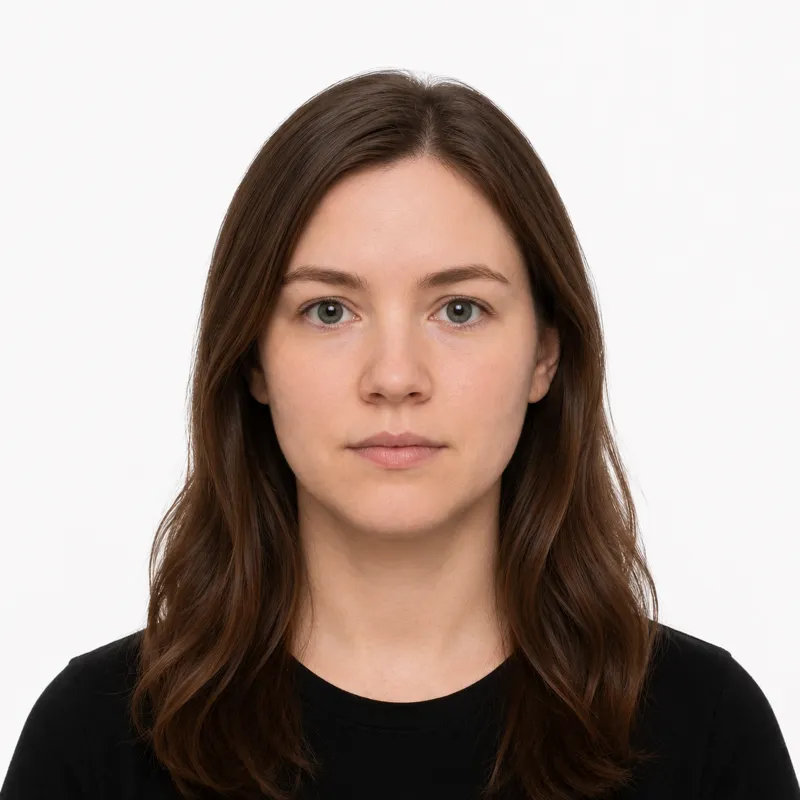
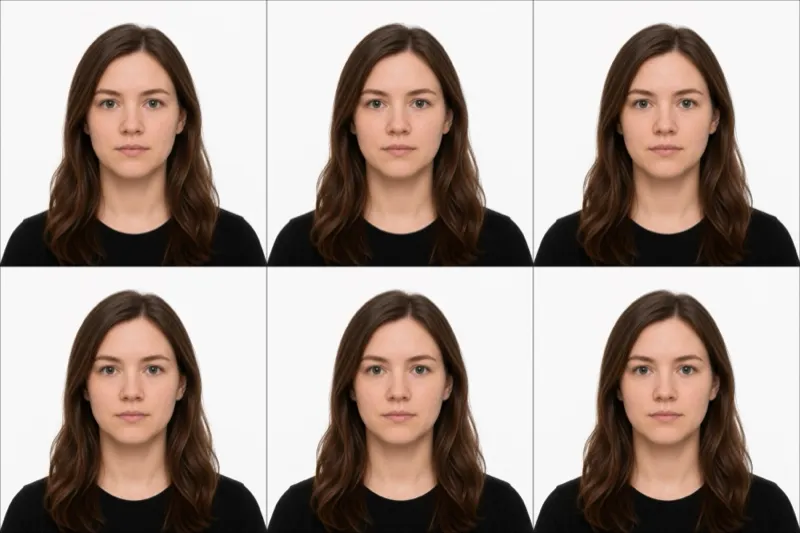
When you apply for a Dutch passport, you bring a printed photo to the municipality (gemeente), and a clerk holds it against the Fotomatrix: an official grid of accept and reject examples published by the government. Your photo is not eyeballed for “close enough.” It is compared, panel by panel, against the matrix. That is why a Dutch photo rewards precision more than a photo for a country with looser checks.
The grid measures these things:
- Size: exactly 35 × 45 mm (width × height)
- Head length: 26 to 30 mm from chin to crown for anyone aged 11 or older
- Face width: 16 to 20 mm, measured excluding the ears
- Background: plain and uniform in light grey, light blue, or white, one single shade with no shadow or pattern
- Expression: neutral, mouth closed, looking straight at the camera
- Head position: centred and fully visible, eyes clearly open
- Resolution: at least 400 DPI when printed
- Colour: a colour photo, not black and white
- Recency: taken within the last 6 months
Miss the head-length band by a couple of millimetres, or print on a background with a faint gradient, and the photo lands in a reject panel of the matrix.
Shooting to match the grid
A current phone camera resolves enough detail for a 400 DPI print. What sinks most home photos is framing and an uneven background, exactly the two things the Fotomatrix is built to catch. Work through these in order:
- Tape a smooth sheet of plain white, light grey, or light blue card to a wall. One flat shade, no texture, no seams.
- Stand about 50 cm in front of that backdrop so your own shadow does not fall on it.
- Light yourself from the front, ideally facing a window. Overhead light drops shadows under the brow and into the eyes, which the matrix flags.
- Have someone else hold the camera at your eye level, roughly 1.5 metres away. A selfie at arm’s length distorts the face and breaks the 16 to 20 mm face-width band.
- Face the lens square on, shoulders level, neutral expression, mouth closed, both eyes open and unobscured by hair.
- Crop to 35 × 45 mm with the head sized to 26 to 30 mm chin to crown, then print at 400 DPI or more. A tool that crops to the Dutch spec and checks head length for you removes the millimetre guesswork.
Why photos fail at the counter
These are the panels in the Fotomatrix your photo gets compared against, and how to stay out of the reject column:
- Head too large or too small. It must read 26 to 30 mm chin to crown. Re-shoot from the right distance, or re-crop to bring the head into the band.
- Uneven or shadowed background. A gradient, a visible shadow, or a patterned wall all fail the single-shade rule. Move away from the backdrop and light it evenly.
- Mouth open or smiling. The grid requires a neutral expression with the mouth closed. A slight smile that parts the lips is enough to reject.
- Head turned or tilted. Face straight at the lens with shoulders square. Any rotation off centre fails the pose panel.
- Glasses reflection or shadow. Glasses are permitted, but a glare across the lens or a shadow cast on the eyes is not. Eyes must be fully visible (more on this below).
- Low print resolution. Below 400 DPI the print looks soft and is rejected. Export at full resolution.
- Photo older than 6 months. It must reflect your current appearance. Re-take if it has aged out.
If your photo fails, the gemeente may re-photograph you on the spot, so a compliant photo brought from home is what keeps the appointment quick.
What to wear
There is no dress code, but a few choices push a photo toward the reject side of the matrix.
Avoid: hats and caps, headphones or earbuds, and a top so pale it blurs into a white or light grey background. Wear a darker, solid colour so your shoulders read as a clean edge.
Glasses are allowed, unlike in many countries, but only when they are fully transparent, throw no reflection across the lenses, and cast no shadow on the eyes. The eyes have to be completely visible. If your everyday frames are tinted or catch the light, take them off for the photo rather than risk the reflection panel.
Fine: ordinary everyday clothing, light makeup that keeps your usual appearance, and religious head coverings worn daily, provided the full face from the hairline to the chin stays visible.
Where to get your photo
You can have a Dutch passport photo taken in a shop, in a self-service booth, or made from a photo you take yourself. The trade-offs against the Fotomatrix:
| Option | Cost | Meets Fotomatrix? | Notes |
|---|---|---|---|
| Photo studio / fotograaf | ~€10–15 | Yes, usually guaranteed | Knows the grid, re-shoots if needed |
| Self-service photo booth | ~€6–10 | Usually | Fixed framing, watch the background shade |
| Drugstore / supermarket counter | ~€8–12 | Often guaranteed | Convenient if you are already there |
| Online tool (this site) | $1 | Yes, if you validate before printing | Crops and checks the 26–30 mm head length, about 2 minutes, print at home |
| DIY phone photo, self-cropped | Free | Risky | Easy to miss the head-length band or background rule |
A studio or booth is the low-effort route because the operator already knows the matrix. If you would rather not make a trip, you can shoot against a plain backdrop at home and let an online tool crop to 35 × 45 mm and verify the head length before you print, then take the print to your appointment. Whichever route you pick, the only thing the clerk cares about is whether the photo matches the grid.
Submitting at the gemeente
A Dutch passport is applied for in person at your local gemeente. You cannot mail the application: you book an appointment, attend the counter, and the clerk inspects your documents and photo there.
Bring the photo as a printed paper copy. The clerk holds it against the Fotomatrix during the inspection, and if it clears, it is scanned into your application. If it does not clear, many municipalities can re-photograph you on the spot, though that adds time and the in-house photo may cost extra. Arriving with a compliant print is what keeps the visit short. After approval, the passport is produced and ready for collection within the standard processing window, which you confirm with your gemeente when you book.
Ready to skip the studio?
Upload a selfie and get a compliant photo in 2 minutes.
Sources & References
This guide is fact-checked against official government publications and updated regularly to reflect the latest requirements.
- [1]