The official requirements
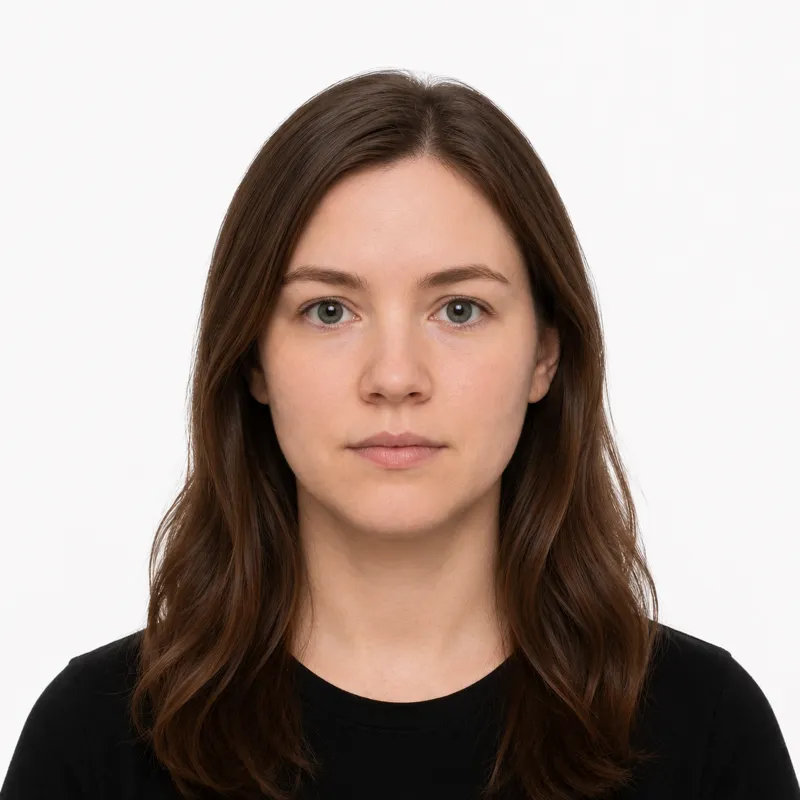
Thailand issues an e-Passport with an embedded biometric chip. The photo standard:
- Size: 35×45 mm (3.5×4.5 cm), portrait
- Background: white or light-coloured — no shadows or patterns
- Head size: the head fills 70–80% of the photo height, face centered
- Expression: neutral, mouth closed, no teeth showing
- Glasses: allowed with clear lenses — dark or heavily tinted lenses are not
- Recency: taken within the last 6 months
- Color: color photo only
For a digital upload, the file must be a JPEG, 413×531 pixels, and no larger than 120 KB — a tighter file-size limit than most countries. Only clear contact lenses are allowed; colored or patterned lenses are rejected.
How to take a compliant photo
The biometric session at the passport office captures your face directly, so a practice shot to the spec mainly confirms your outfit, expression, and eyes will pass. The setup:
- Stand 4–6 feet from a plain white or light wall, far enough that no shadow falls behind you.
- Light yourself evenly from the front — face a window.
- Wear a top with sleeves — sleeveless and strapless tops are rejected.
- Have someone else take it from chest height, straight on. A selfie distorts the face.
- Look directly at the camera, neutral expression, mouth closed, both eyes clearly visible.
- Remove colored contact lenses; if you keep glasses on, check the lenses for glare.
Why photos get rejected
The same problems get photos bounced repeatedly. Each one, and the fix:
- Inappropriate attire — tank tops, sleeveless shirts, and strapless tops are not accepted. Wear sleeves.
- Background not white or light — shadows or patterns behind you. Use a plain light wall.
- Eyes not visible — caused by dark glasses or heavily tinted lenses. Use clear lenses or remove them.
- Face not centered — the full face must be visible and centered in the frame.
- Colored contact lenses — these interfere with the e-Passport iris scan. Use clear lenses only.
- Photo older than 6 months — it must reflect your current appearance.
What to wear (and not wear)
Thai passport offices require neat, appropriate attire in the photo:
Avoid: tank tops, sleeveless shirts, and strapless tops — these are explicitly rejected regardless of how the face looks. Also avoid sunglasses, heavily tinted lenses, and very pale tops that blend into a light background.
Fine: a shirt or top with sleeves, in a color that contrasts with the light background. Glasses with clear, glare-free lenses are allowed; religious head coverings worn daily are allowed with the face fully visible.
Where to get your photo
You can get a Thai passport photo from a photo studio, on-site at the passport office, or online:
- Photo studio — common near government offices; the studio takes the photo and prints it. Fastest if you’re already out, and staff know the 35×45 mm size.
- On-site at the passport office — the biometric session, including the facial photograph, is normally completed during your appointment, so the official photo can be captured there directly.
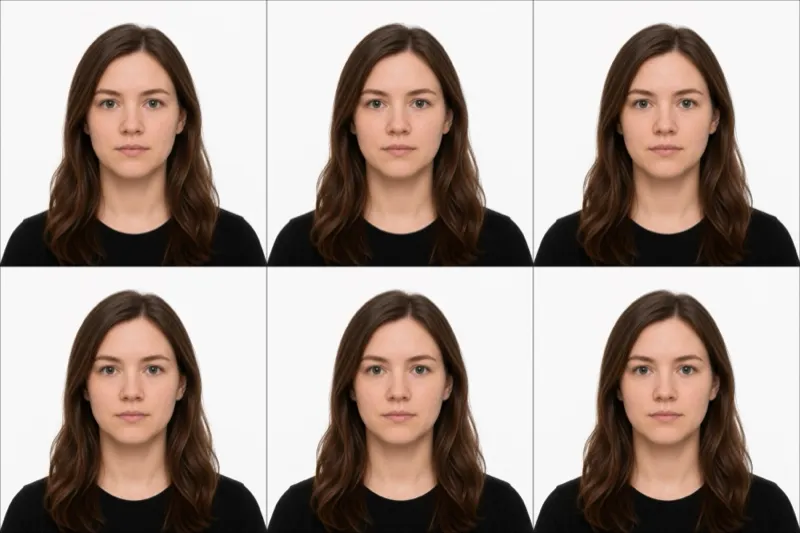
- Online tool — upload your own shot; it is cropped and checked against the 35×45 mm spec, and you get a digital file plus a print-ready sheet. Useful for routes that accept a digital file.
Whichever route applies to you, the photo only counts if it meets every rule above.
Submitting your photo
How you submit depends on the route:
In person — Thai passport applications are processed at a passport office of the Ministry of Foreign Affairs, or at a Thai embassy or consulate abroad. The biometric session — including the facial photograph — is normally completed during the appointment.
Digital file — For routes that accept a digital photo, prepare a JPEG (413×531 px, under 120 KB). Compress carefully to stay under the tight limit without losing sharpness.
Babies, kids & special situations
Infants and toddlers follow the same rules — white or light background, neutral face, no pacifier, no hands or arms in the frame, both eyes open. Lay the baby on a plain sheet and shoot from directly above.
Religious head coverings are allowed when worn daily for religious reasons; the face must stay fully visible from forehead to chin.
Glasses are allowed with clear, glare-free lenses, but given the iris scan, removing them is the lower-risk choice. Colored or patterned contact lenses are rejected because they overlay a different pattern on the iris — clear vision-correcting contacts are fine.
Ready to skip the studio?
Upload a selfie and get a compliant photo in 2 minutes.
Sources & References
This guide is fact-checked against official government publications and updated regularly to reflect the latest requirements.
- [1]