🇳🇿New Zealand Visa Photo for $1
Get a compliant New Zealand Visa Photo in 2 minutes. Accepted or money back.
or drag and drop your photo here
Supports JPG, PNG • Max 10MB
We automatically adjust your photo to meet all requirements
We automatically adjust your photo to meet all requirements
or drag and drop your photo here
Supports JPG, PNG • Max 10MB
What You Get

Digital Photo
900×1200px JPG
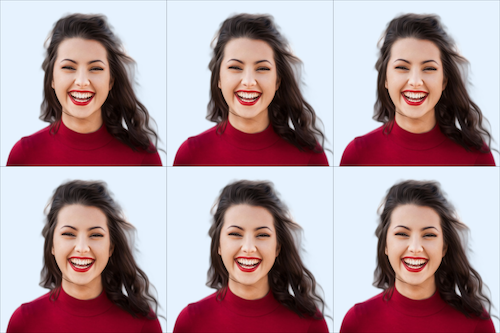
4×6 Print Sheet
6 photos included
We never see your photo
Unlike other services, our AI processes everything and never store your data. We don't know who you are and we also don't care who you are. We have only one mission is to help you easily create your id photo.
Privacy first
New Zealand Visa Photo Specifications
Official requirements
| Photo size | 35 × 45 mm (1.4" × 1.8") |
| Digital size | 900 × 1200 px (min) to 2250 × 3000 px (max) |
| Background | Plain light-coloured background such as light grey or cream. Avoid pure white, patterns, or shadows. |
| Head size | Full head and upper shoulders must be visible in frame |
| Glasses | Allowed |
| Recency | Within 6 months |
| File format | JPEG |
| Max file size | 3072 KB |
| Paper type | Glossy or Matte |
| Printable | Yes |
| Digital submission | Yes |
How It Works
Get your perfect visa photo in under 3 minutes
1. Take or upload a photo
Use any selfie or photo. No special setup needed — our AI handles the rest.
2. AI processes your photo
Background removal, perfect cropping, and compliance check — all automatic in seconds.
Common Reasons Photos Get Rejected
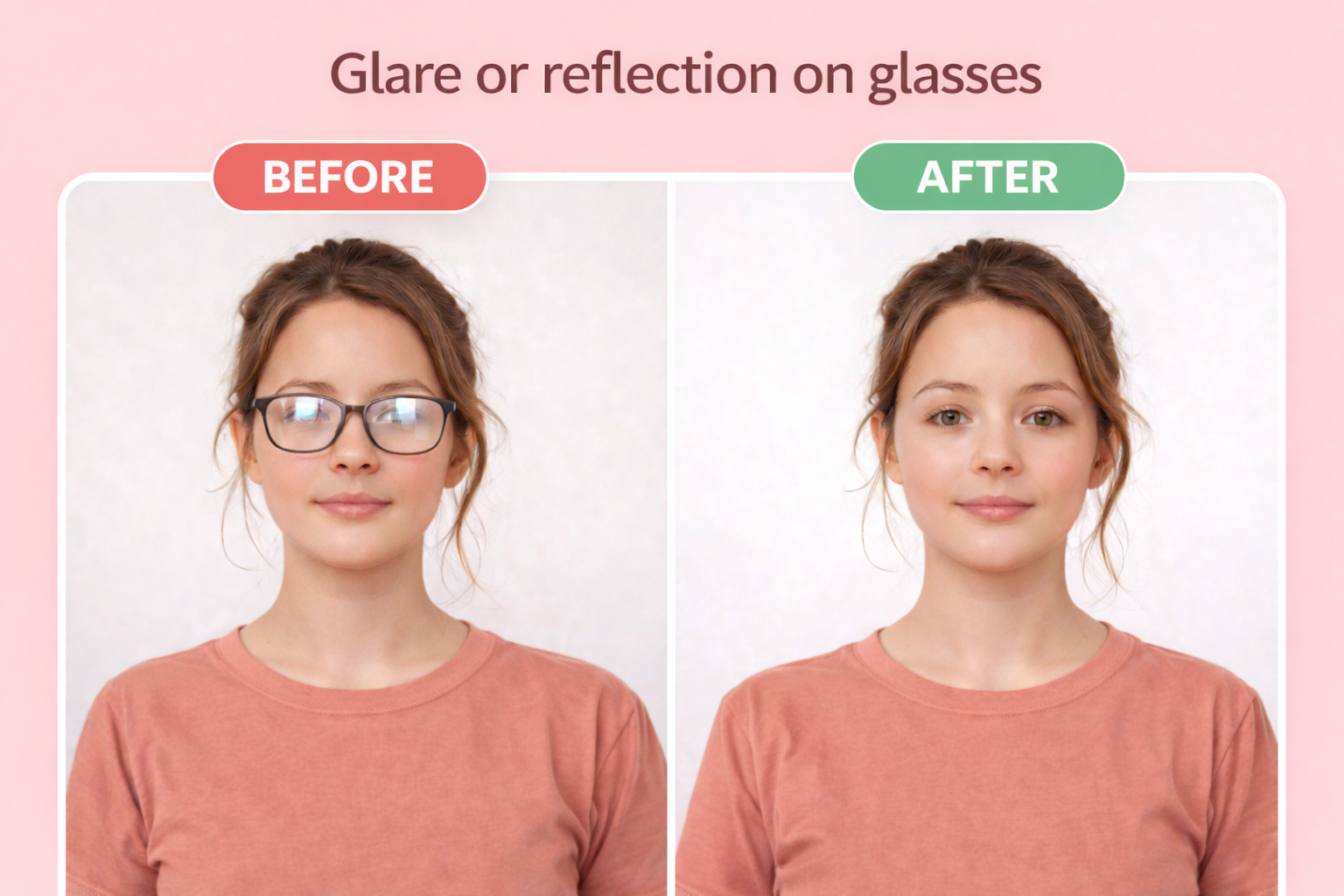
Glasses
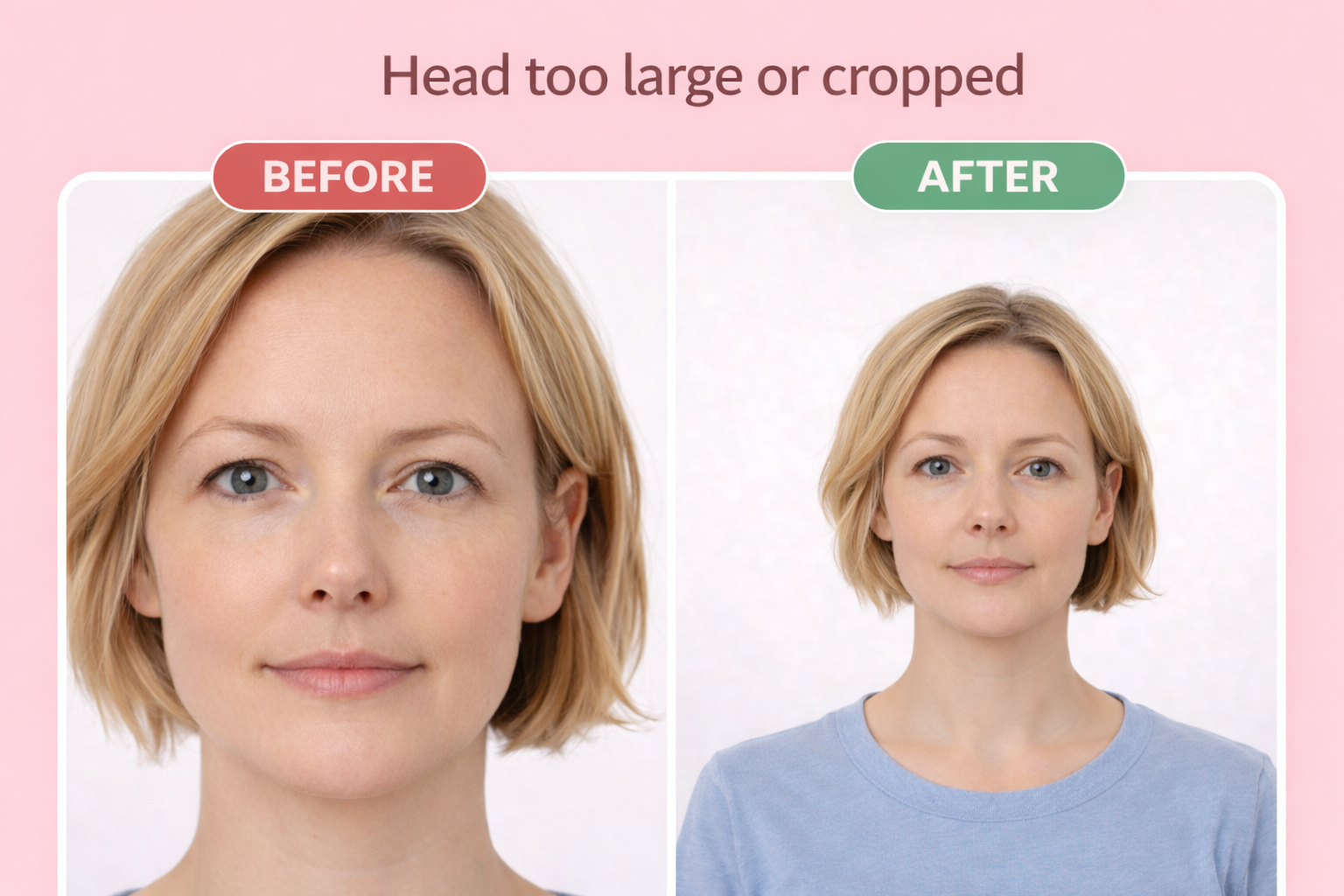
Wrong head size
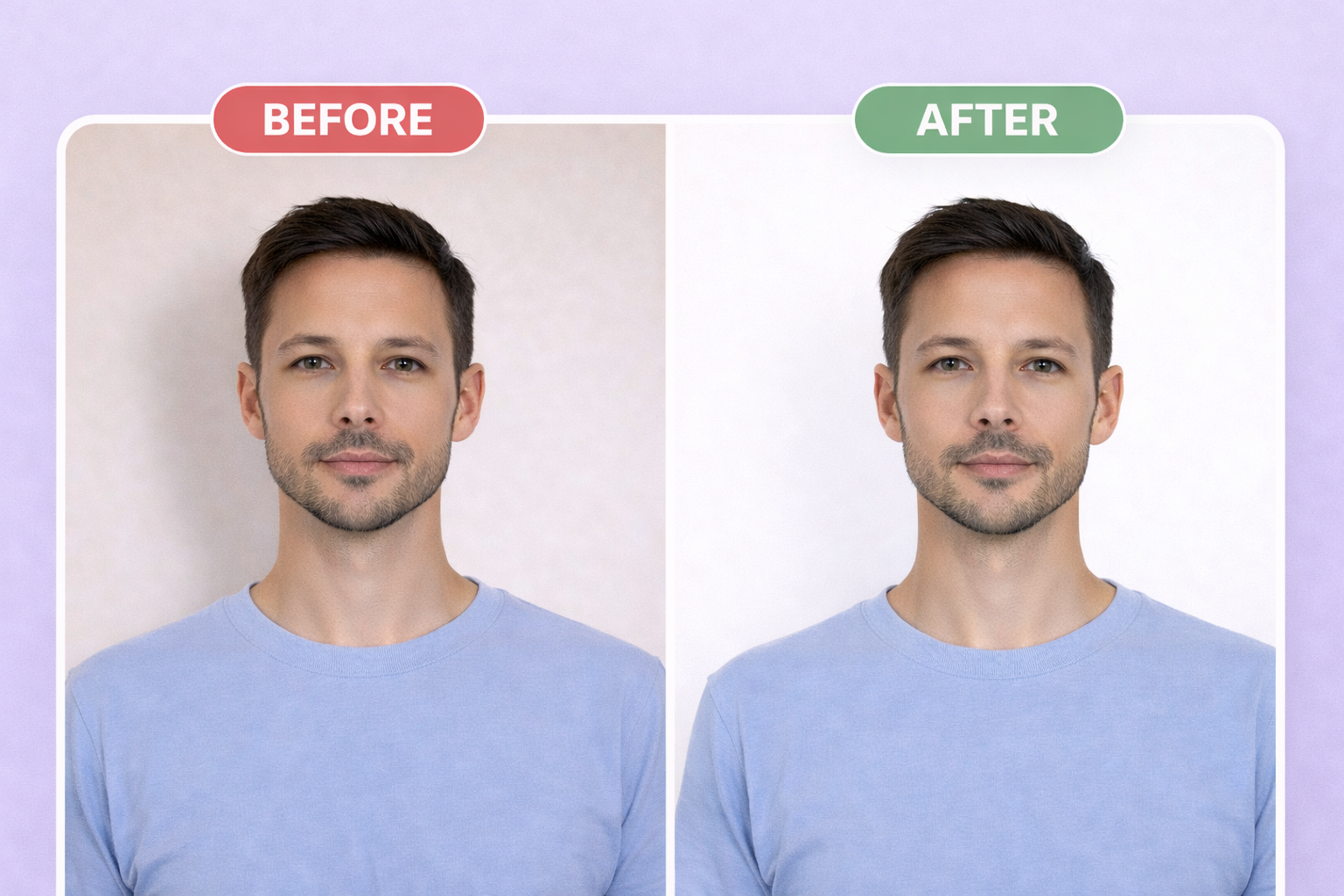
Wrong background
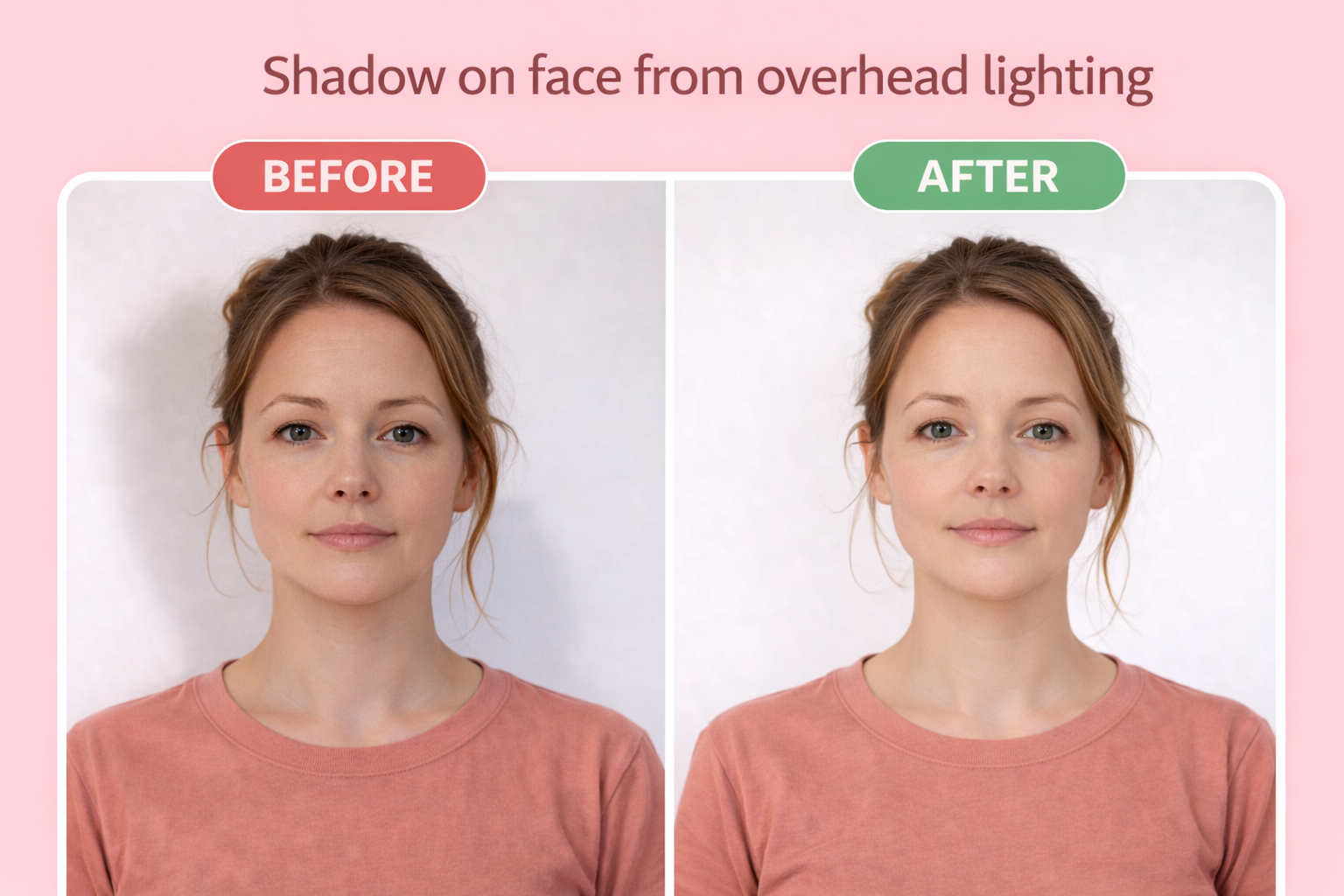
Shadow on face
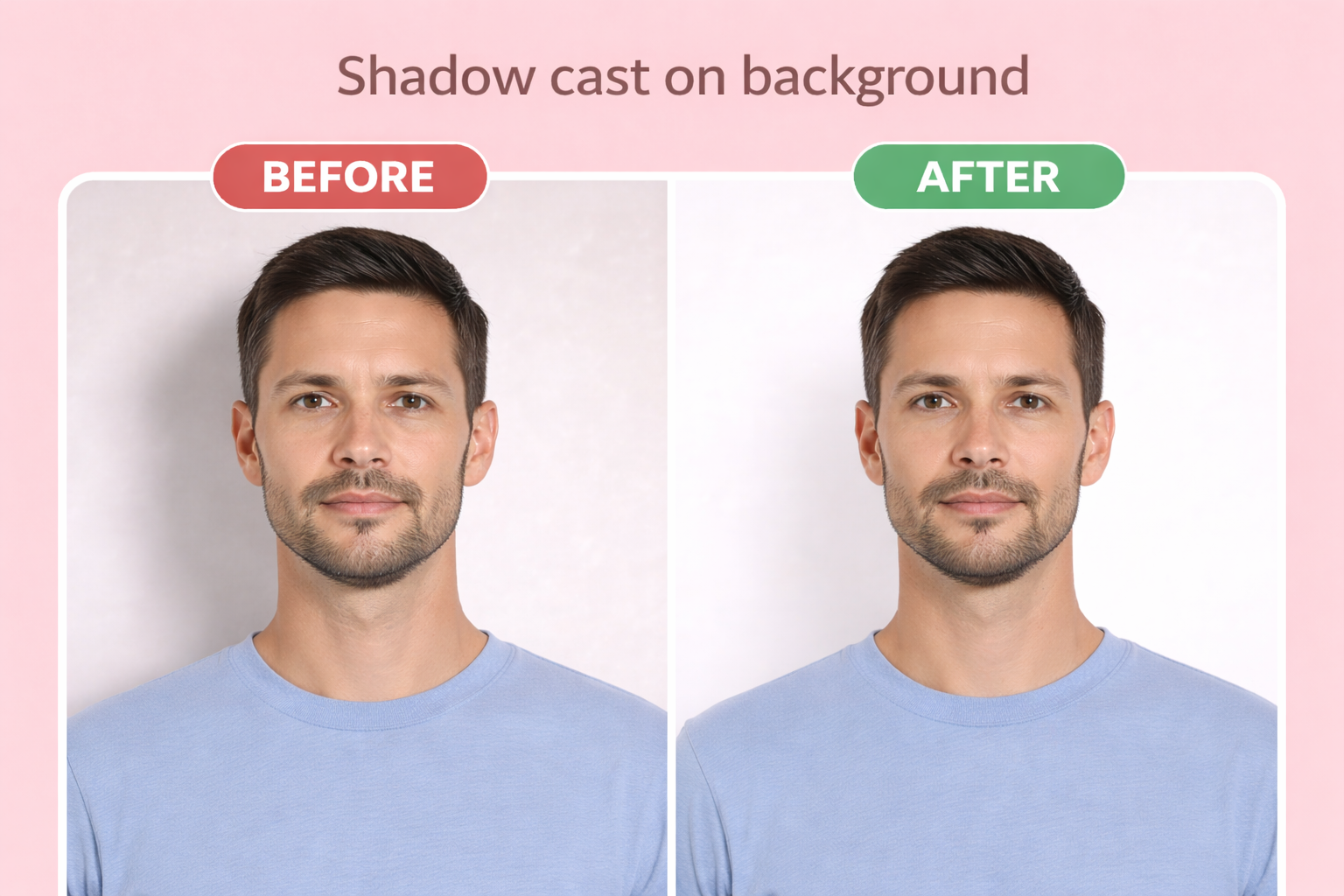
Shadow on background
AI-edited or digitally altered photo — Immigration NZ explicitly prohibits AI enhancement and will delay or decline applications using altered photos
Pure white background — Must use light grey or cream background, not pure white
Thick-framed or dark glasses — Glasses must be thin-rimmed with no glare; thick frames that obscure face are rejected
Head covering obscuring face — Religious head coverings allowed only if face is fully visible from chin to forehead
Photo too old — Must be taken within the last 6 months and reflect current appearance
Wrong expression — Must have neutral expression with mouth closed and eyes open looking at camera
Printing Your Photo
For mail-in applications, print your photo on 4×6 photo paper at any drugstore. Our download includes a print-ready template with multiple photos — you only need 2 for most applications.
Use glossy or matte photo paper, not regular printer paper. When printing, select "actual size" or "no scaling" to ensure the photos are exactly 35 × 45 mm (1.4" × 1.8").
| Paper size | 4×6 inches |
| Paper type | Glossy or matte photo paper |
| Print quality | 300 DPI minimum |
Digital Submission Requirements
For online applications, you'll upload a digital photo directly. Our tool exports photos that meet all digital requirements automatically.
| File format | JPEG |
| Dimensions | 900×1200px to 2250×3000px |
| Max file size | 3072 KB |
| Min file size | 500 KB |
| Aspect ratio | Portrait (3:4) |
Frequently Asked Questions
What size is a New Zealand visa photo?
35×45mm for paper applications. For online submissions, the photo must be 900×1200 to 2250×3000 pixels in JPEG format, between 500KB and 3MB file size.
Can I wear glasses in my New Zealand visa photo?
Yes, prescription glasses are allowed if they have thin rims, no glare, and don't obscure your face. Sunglasses and tinted lenses are not permitted. If glasses cause issues, it's best to remove them.
What background color is required for NZ visa photos?
A plain, light-coloured background such as light grey or cream. Pure white is not recommended. The background must be free of patterns, objects, or shadows.
Can I use a selfie for my New Zealand visa application?
Selfies are only accepted for NZeTA applications via the mobile app. For visa applications, Immigration NZ recommends using a professional photographer for best results.
Can I edit my photo with AI or filters?
No. Immigration NZ explicitly prohibits AI editing or digital manipulation. Using AI-enhanced photos will delay or cause your application to be declined.
Ready to create your visa photo?
Compliant photo in 2 minutes. Only $1.
or drag and drop your photo here
Supports JPG, PNG • Max 10MB
Need photos for the whole family? Get everyone on one sheet for $6
Related Documents
Official source: https://www.immigration.govt.nz/process-to-apply/applying-for-a-visa/applying-online/uploading-documents-and-photos/visa-and-nzeta-photos/