🇺🇸US Visa Photo for $1
Get a compliant US Visa Photo in 2 minutes. Accepted or money back.
or drag and drop your photo here
Supports JPG, PNG • Max 10MB
We automatically adjust your photo to meet all requirements
We automatically adjust your photo to meet all requirements
or drag and drop your photo here
Supports JPG, PNG • Max 10MB
What You Get

Digital Photo
600×600px JPG
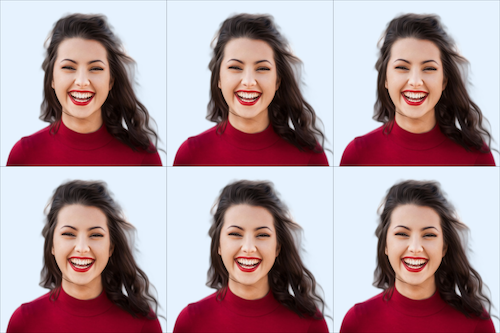
4×6 Print Sheet
6 photos included
We never see your photo
Unlike other services, our AI processes everything and never store your data. We don't know who you are and we also don't care who you are. We have only one mission is to help you easily create your id photo.
Privacy first
US Visa Photo Specifications
Official requirements
| Photo size | 2" × 2" (51 × 51 mm) |
| Digital size | 600 × 600 px (min) to 1200 × 1200 px (max) |
| Background | White |
| Head size | 50-69% of photo height (1 inch to 1 3/8 inches from chin to crown) |
| Glasses | Not allowed |
| Recency | Within 6 months |
| File format | JPEG |
| Max file size | 240 KB |
| Paper type | Glossy or Matte |
| Printable | Yes |
| Digital submission | Yes |
DS-160 Upload Requirements
When uploading your photo to the DS-160 online visa application, your file must meet these exact specifications:
- • Format: JPEG (.jpg) only
- • Dimensions: 600×600 to 1200×1200 pixels (square)
- • File size: Under 240KB
- • Color mode: 24-bit color
Our tool automatically formats your photo to these exact specifications.
How It Works
Get your perfect visa photo in under 3 minutes
1. Take or upload a photo
Use any selfie or photo. No special setup needed — our AI handles the rest.
2. AI processes your photo
Background removal, perfect cropping, and compliance check — all automatic in seconds.
Visa Types Using This Photo
The same 2×2 inch photo format is accepted for all US non-immigrant visa categories:
B1/B2 Tourist & Business
Tourism, vacation, visiting family, business meetings
F1 Student Visa
Full-time academic study at US universities
H1B Work Visa
Specialty occupation workers
J1 Exchange Visitor
Exchange programs, internships, au pairs
L1 Intracompany Transfer
Employees transferring to US office
K1 Fiancé(e) Visa
Engaged to a US citizen
Common Reasons Photos Get Rejected
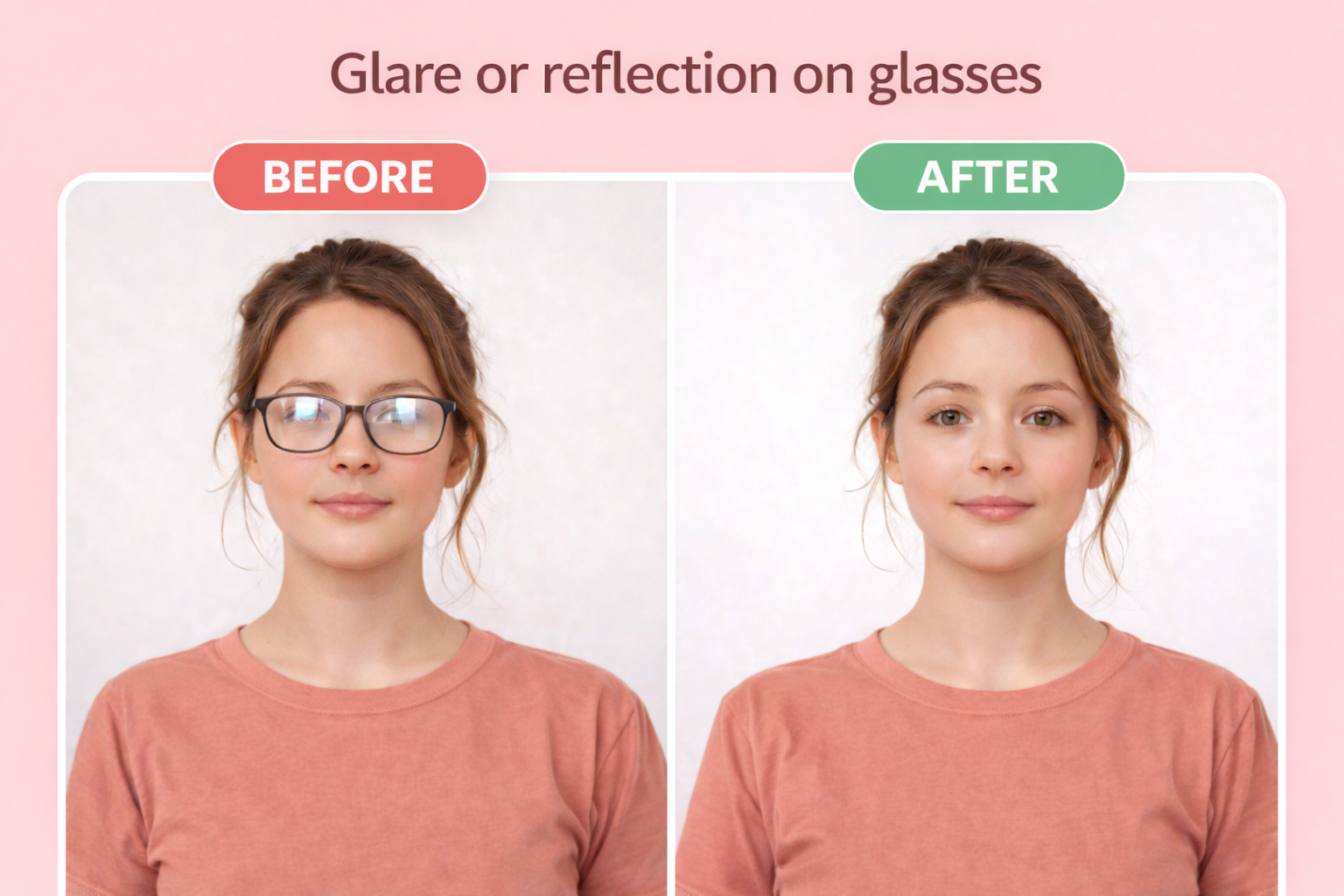
Glasses
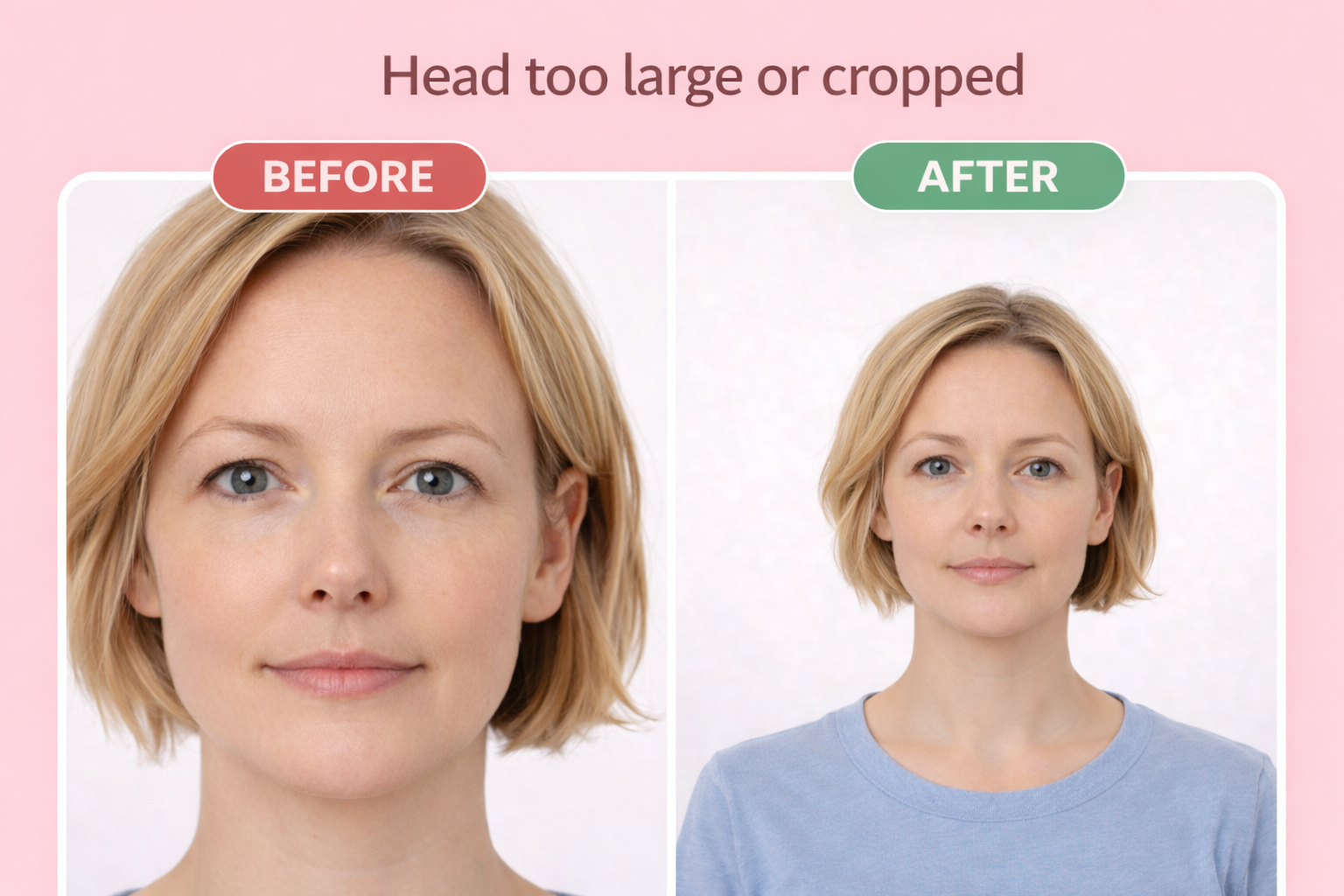
Wrong head size
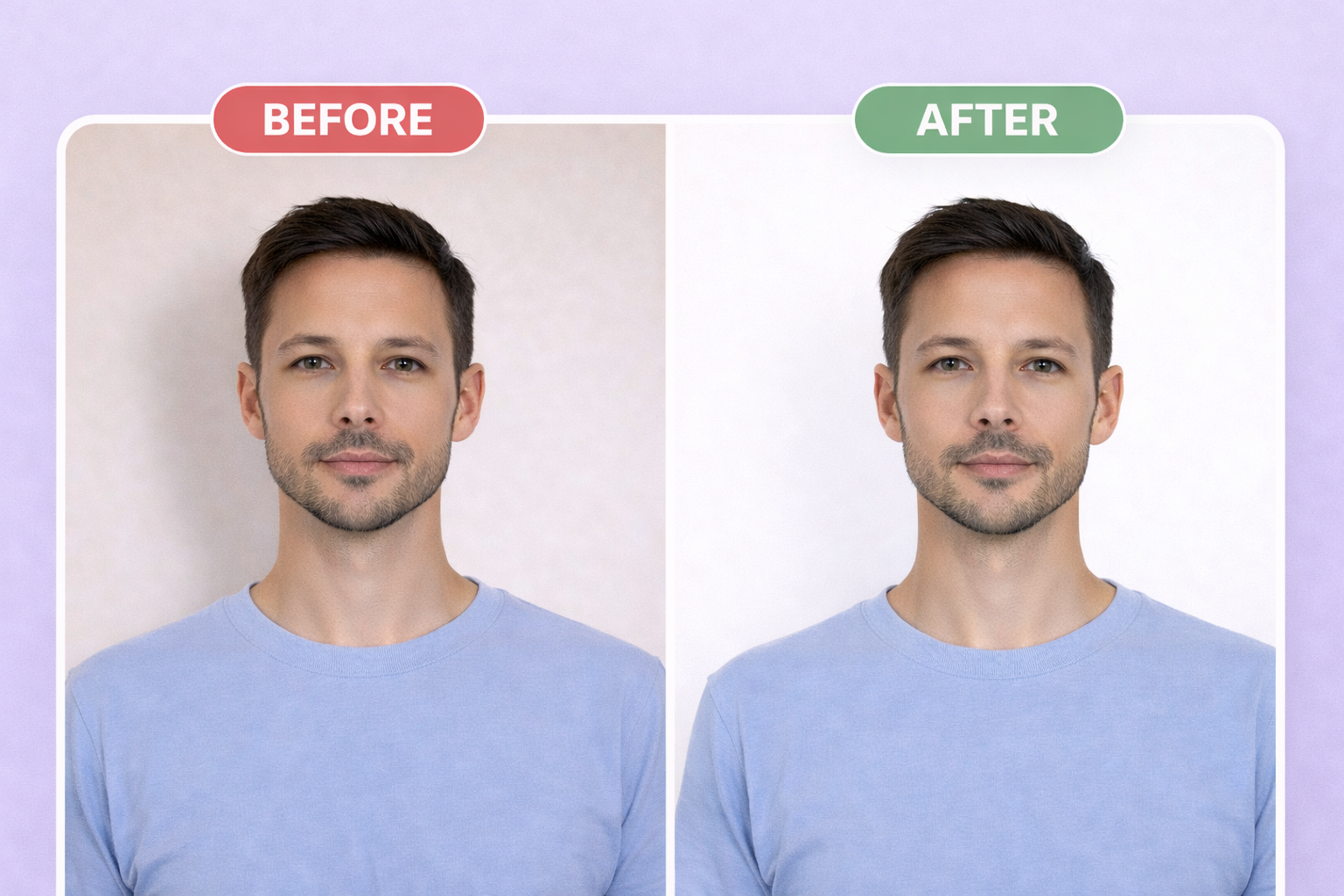
Wrong background
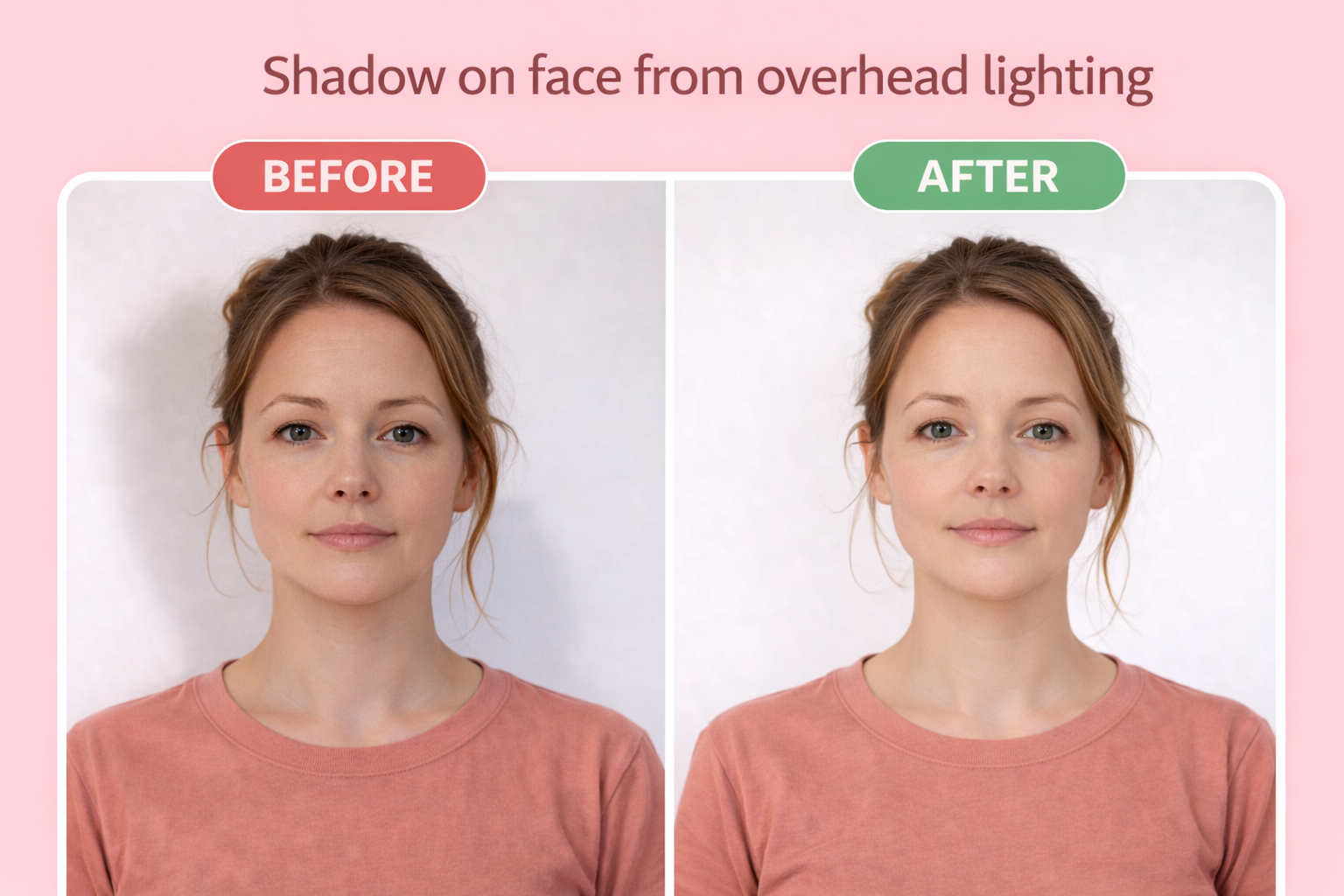
Shadow on face
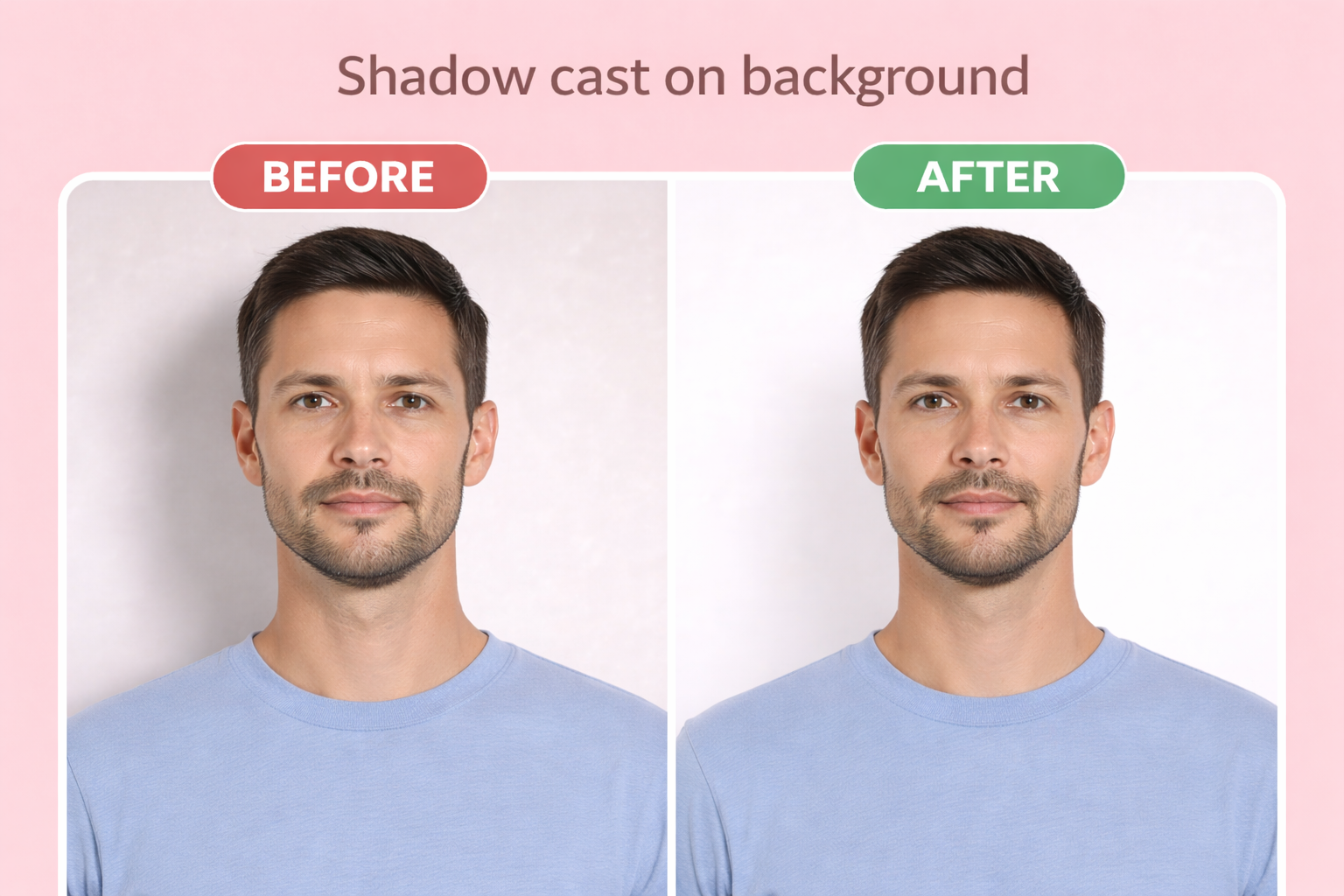
Shadow on background
Wearing glasses — Eyeglasses are not allowed in US visa photos. Remove all glasses including prescription, reading, or fashion glasses.
Wrong head size — Head must measure 1 to 1-3/8 inches (25-35mm) from chin to top of head. Embassy staff measure this precisely.
Non-white background — Background must be plain white or off-white with no shadows, patterns, or visible lines.
Photo too old — Must be taken within the last 6 months showing your current appearance. Old photos are rejected at visa interviews.
Improper lighting — Photo must have uniform lighting without shadows on face or background. Avoid harsh overhead lighting.
Wrong file size for DS-160 — Digital photo must be under 240KB. Large files will not upload to the DS-160 system.
Face not centered — Face must be directly centered in the frame, looking straight at the camera.
Low resolution — Minimum 600×600 pixels required. Photos from older phones may not meet this requirement.
Printing Your Photo
For mail-in applications, print your photo on 4×6 photo paper at any drugstore. Our download includes a print-ready template with multiple photos — you only need 2 for most applications.
Use glossy or matte photo paper, not regular printer paper. When printing, select "actual size" or "no scaling" to ensure the photos are exactly 2" × 2" (51 × 51 mm).
| Paper size | 4×6 inches |
| Paper type | Glossy or matte photo paper |
| Print quality | 300 DPI minimum |
Where to print
- CVS Photo ~$0.35
- Walgreens ~$0.35
- Walmart ~$0.25
- Costco(membership required) ~$0.17
Digital Submission Requirements
For online applications, you'll upload a digital photo directly. Our tool exports photos that meet all digital requirements automatically.
| File format | JPEG |
| Dimensions | 600×600px to 1200×1200px |
| Max file size | 240 KB |
| Aspect ratio | Square (1:1) |
Guías Específicas por País (Spanish)
We offer country-specific US visa photo guides in Spanish for applicants from Latin America:
🇬🇹 Foto Visa Americana Guatemala
Requisitos DS-160, información de la Embajada en Ciudad de Guatemala, precios en Quetzales
🇨🇴 Foto Visa Americana Colombia
Requisitos DS-160, información del Consulado en Bogotá, precios en Pesos Colombianos
🇵🇪 Foto Visa Americana Perú
Requisitos DS-160, información de la Embajada en Lima, precios en Soles
🇨🇷 Foto Visa Americana Costa Rica
Requisitos DS-160, información de la Embajada en San José, precios en Colones
US Visa vs Passport Photo: What's the Difference?
| Requirement | US Visa Photo | US Passport Photo |
|---|---|---|
| Size | 2×2 inches | 2×2 inches |
| Background | White | White |
| Glasses allowed | No | No |
| Photo recency | Within 6 months | Within 6 months |
| Digital dimensions | 600-1200px square | 600-1200px square |
| Can use same photo? | Yes, requirements are identical | |
Frequently Asked Questions
Are US visa and passport photo requirements the same?
Yes, US visa and passport photos have identical requirements: 2×2 inches, white background, no glasses, neutral expression, and taken within 6 months. You can use the same photo for both a visa application and passport renewal.
What photo do I need for DS-160 visa application?
The DS-160 requires a digital photo that is 600×600 to 1200×1200 pixels, in JPEG format, under 240KB file size. You'll also need to bring 2 printed copies (2×2 inches) to your visa interview.
Can I wear glasses in my US visa photo?
No. Since November 2016, eyeglasses are not allowed in US visa photos. The only exception is if you have a signed doctor's statement explaining why you cannot remove them for medical reasons.
How many photos do I need for a US visa interview?
Bring 2 identical printed photos (2×2 inches on photo paper) to your visa interview, plus the digital version you uploaded with your DS-160. Some consulates may request additional copies.
Will my photo work for all US visa types?
Yes, the same 2×2 inch photo format works for all US non-immigrant visas including B1/B2 tourist/business, F1 student, H1B work visa, J1 exchange, and all other visa categories.
How do I upload my photo to DS-160?
In the DS-160 application, click 'Upload Photo' and select your JPEG file. The system will check dimensions (600-1200px square) and file size (under 240KB). If your photo fails, our tool can reformat it to exact specifications.
Can I use my passport photo for my visa application?
Yes, if your passport photo was taken within the last 6 months and meets all current requirements (no glasses, white background, proper head size). Since requirements are identical, the same photo works for both.
What if my visa photo is rejected at the embassy?
Most embassies have photo booths where you can take a new photo (usually $10-15). To avoid this, ensure your photo meets all requirements before your interview. Our AI verification catches common rejection reasons.
Ready to create your visa photo?
Compliant photo in 2 minutes. Only $1.
or drag and drop your photo here
Supports JPG, PNG • Max 10MB
Need photos for the whole family? Get everyone on one sheet for $6
Related Guides
📋 Requirements
📸 How-to
🖨️ Printing
✈️ Cross-Border
Related Documents
Official source: https://travel.state.gov/content/travel/en/us-visas/visa-information-resources/photos.html