🇺🇸US Employment Authorization Document (EAD) Photo for $1
Get a compliant US Employment Authorization Document (EAD) Photo in 2 minutes. Accepted or money back.
or drag and drop your photo here
Supports JPG, PNG • Max 10MB
We automatically adjust your photo to meet all requirements
We automatically adjust your photo to meet all requirements
or drag and drop your photo here
Supports JPG, PNG • Max 10MB
What You Get

Digital Photo
600×600px JPG

4×6 Print Sheet
6 photos included
We never see your photo
Unlike other services, our AI processes everything and never store your data. We don't know who you are and we also don't care who you are. We have only one mission is to help you easily create your id photo.
Privacy first
US Employment Authorization Document (EAD) Photo Specifications
Official requirements
| Photo size | 2" × 2" (51 × 51 mm) |
| Digital size | 600 × 600 px |
| Background | White |
| Head size | 1 inch to 1 3/8 inches from chin to crown |
| Glasses | Not allowed |
| Recency | Within 1 months |
| File format | JPEG |
| Max file size | 240 KB |
| Paper type | Glossy or Matte |
| Printable | Yes |
| Digital submission | Yes |
EAD Renewals: 30-Day Photo Rule
Important: For EAD renewals, your photo must be taken within 30 days of filing Form I-765. This is stricter than the 6-month rule for passports. Don't reuse your old passport photo—take a new one close to your filing date.
How It Works
Get your perfect employment authorization document (ead) photo in under 3 minutes
1. Take or upload a photo
Use any selfie or photo. No special setup needed — our AI handles the rest.
2. AI processes your photo
Background removal, perfect cropping, and compliance check — all automatic in seconds.
How to Prepare Your EAD Photos
1 Print 2 Identical Photos
USCIS requires exactly 2 photos that are completely identical—same session, same lighting, same crop. Our 4×6 print sheet includes multiple copies to ensure you have matching photos.
2 Write on the Back (Pencil Only)
On the back of each photo, write lightly in pencil:
- • Your full legal name (as on Form I-765)
- • Your A-Number (if you have one)
Don't press hard—you shouldn't see indentations on the front.
3 Don't Staple or Clip
Place photos in a small envelope or attach with a paper clip to the outside of the envelope. Never staple photos directly to your I-765 form—this can damage them.
4 Online Filing? Upload Digital
If filing online through your USCIS account, upload the digital JPEG version. Requirements: 600×600 pixels, under 240KB, JPEG format. Our tool provides the correctly formatted file.
Common Reasons Photos Get Rejected
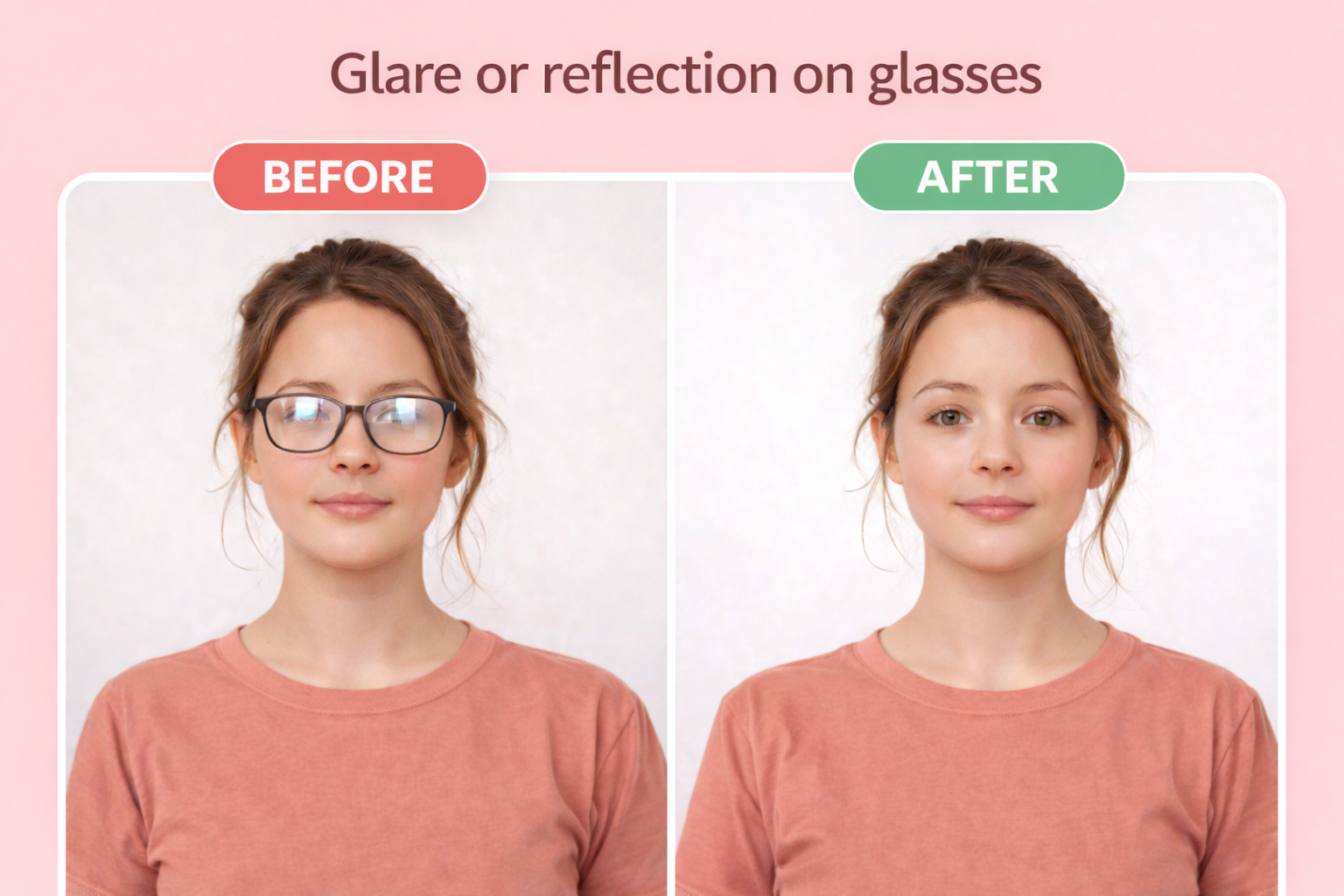
Glasses
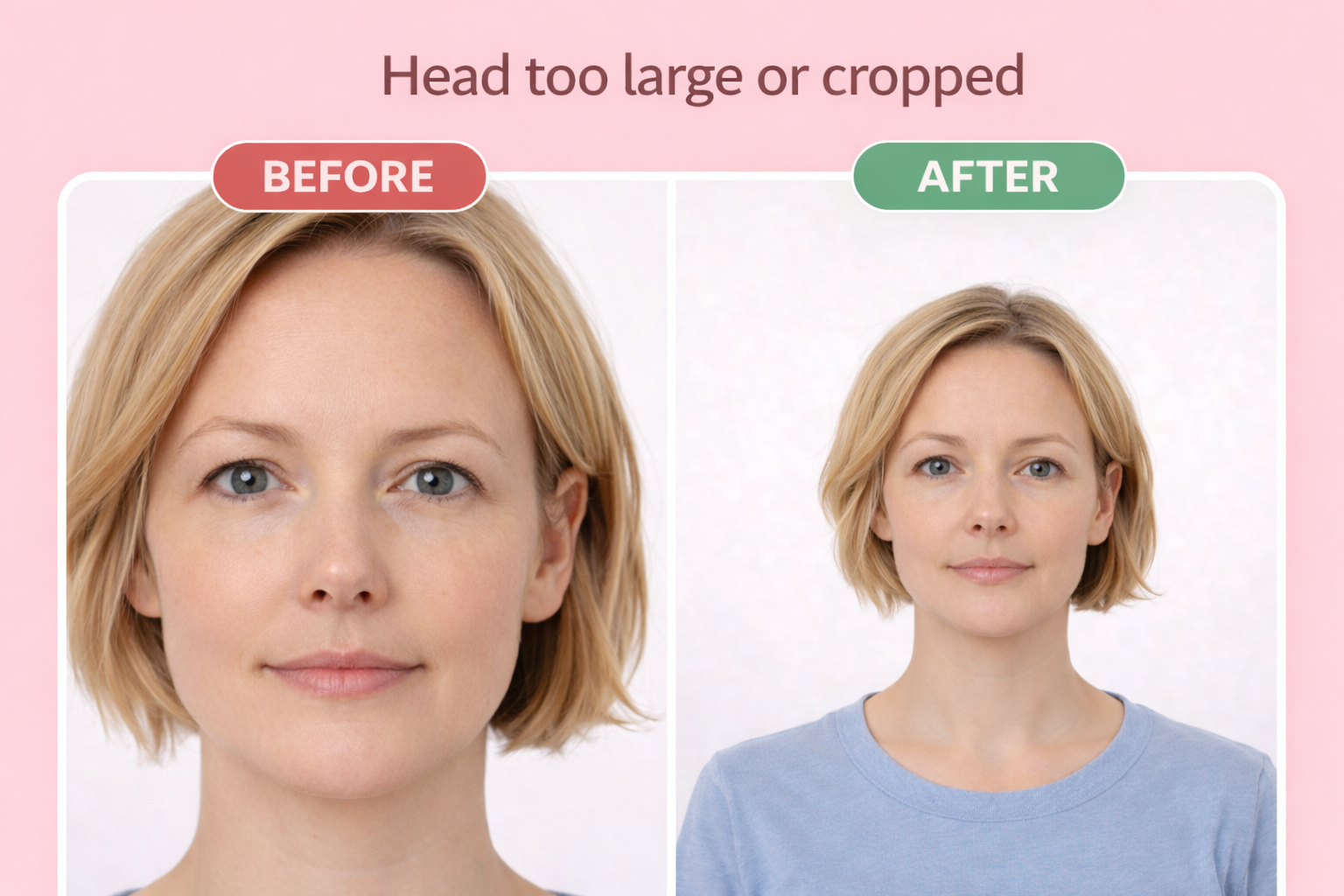
Wrong head size
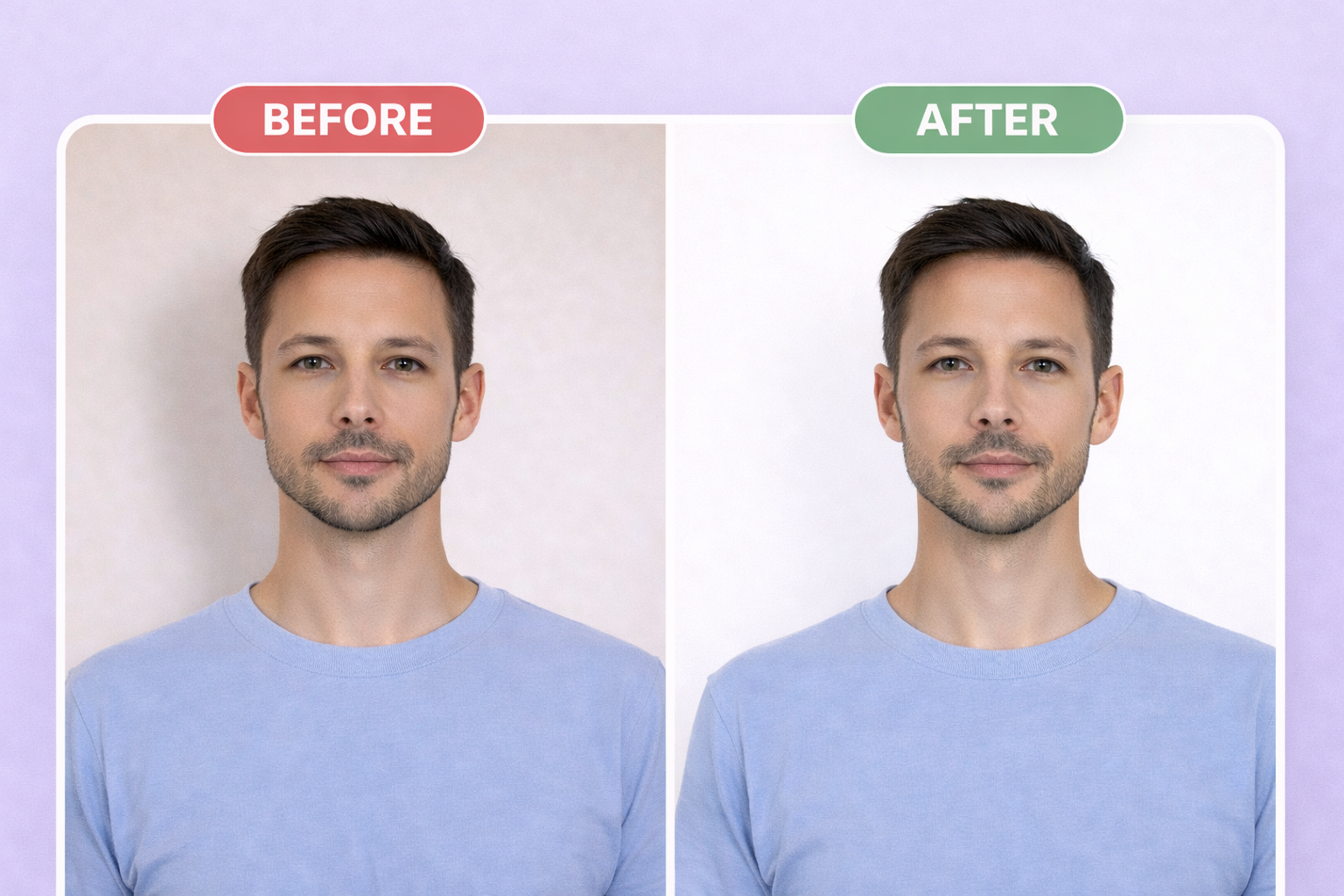
Wrong background
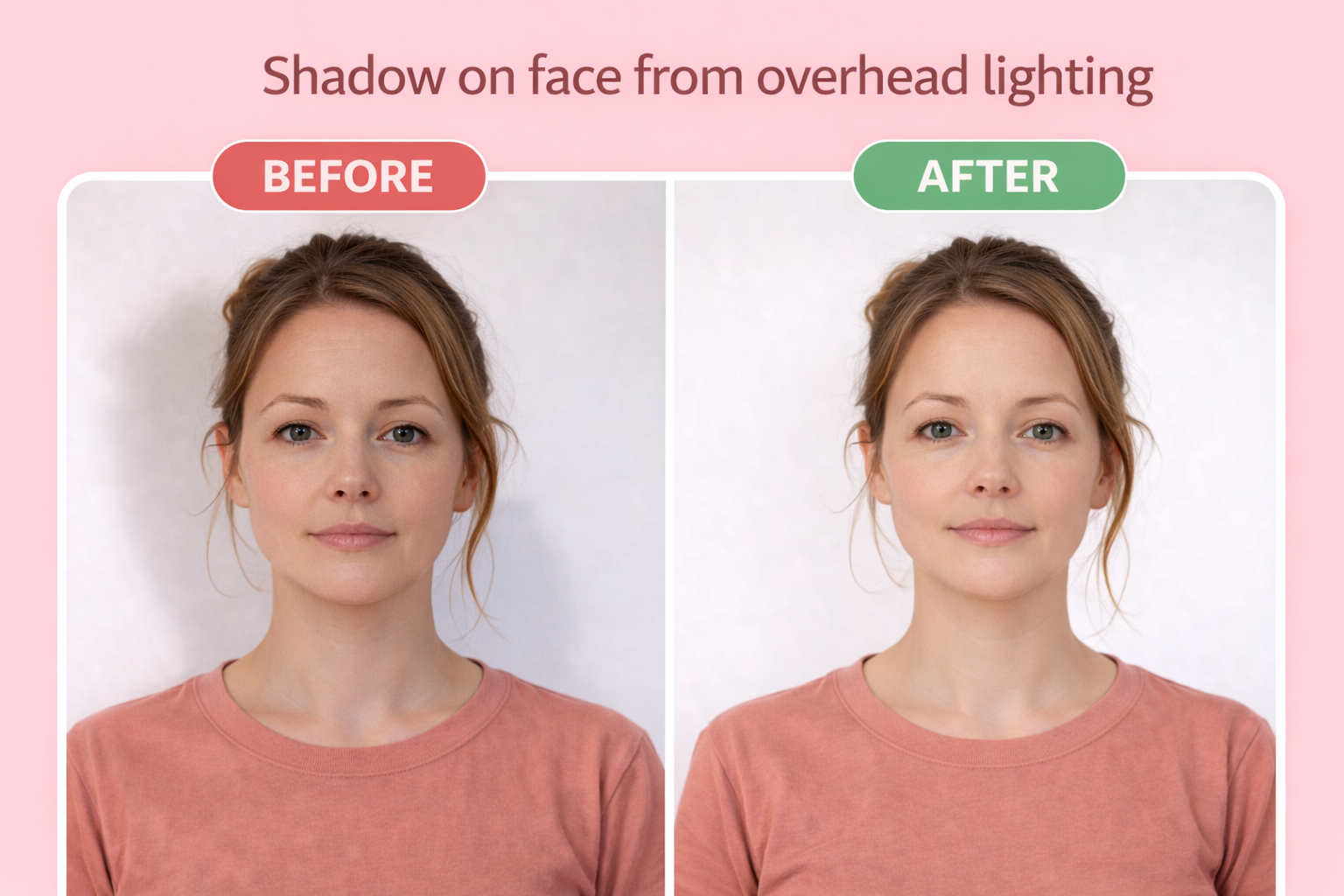
Shadow on face
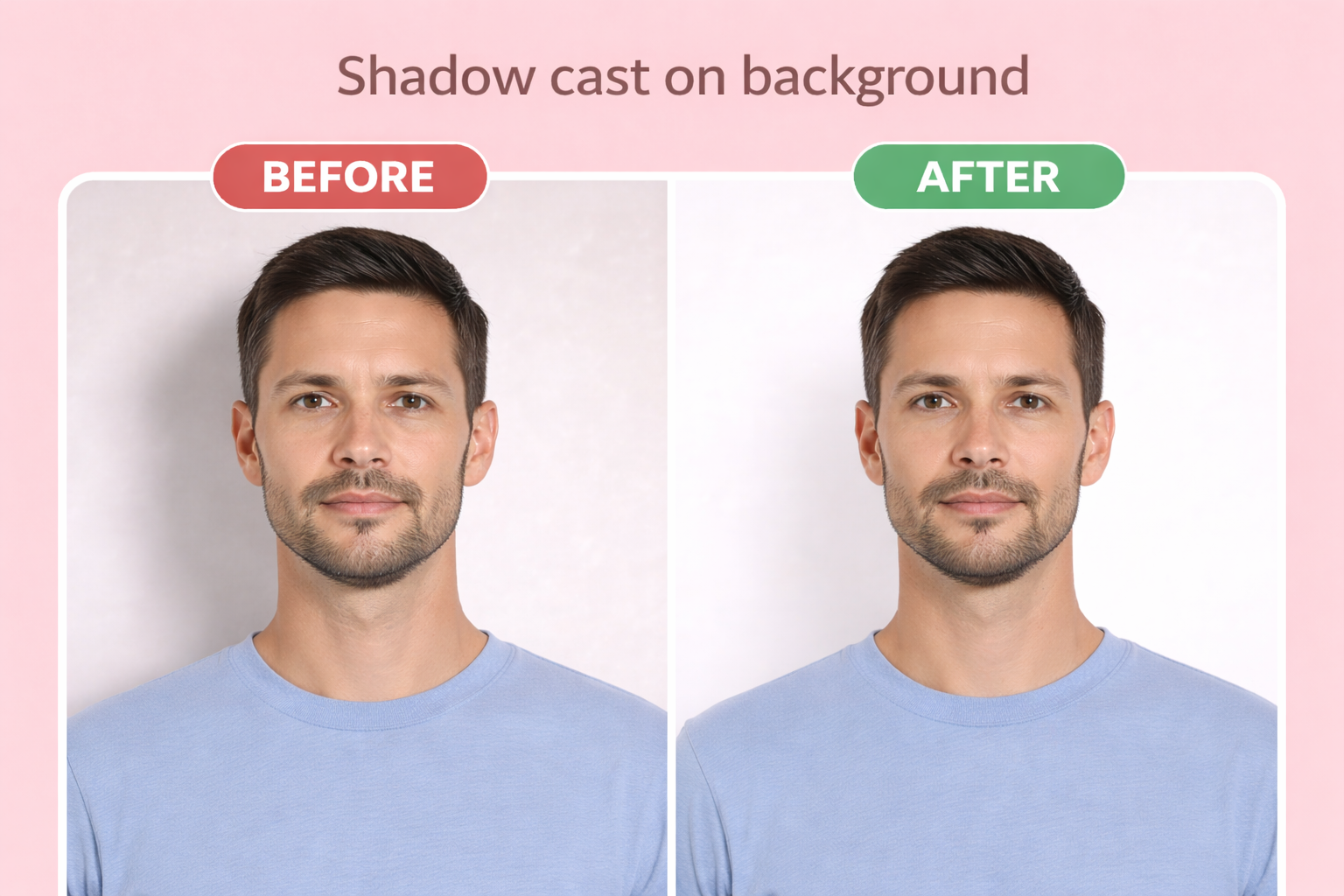
Shadow on background
IMPORTANT — USCIS no longer accepts self-submitted photos (policy change Dec 12, 2025). For Form I-765 filed on or after that date, do not include paper photos with your application. Your photo will be captured at the Application Support Center (ASC) biometric services appointment.
Wearing glasses — Eyeglasses are not allowed when the ASC officer takes your photo. Remove all glasses before the appointment.
Wrong head size — The ASC photo will be taken to the correct USCIS specifications automatically. You do not need to verify dimensions yourself.
Non-white background — This no longer applies to I-765 applicants filing on or after Dec 12, 2025, because USCIS takes the photo under controlled conditions.
Printing Your Photo
For mail-in applications, print your photo on 4×6 photo paper at any drugstore. Our download includes a print-ready template with multiple photos — you only need 2 for most applications.
Use glossy or matte photo paper, not regular printer paper. When printing, select "actual size" or "no scaling" to ensure the photos are exactly 2" × 2" (51 × 51 mm).
| Paper size | 4×6 inches |
| Paper type | Glossy or matte photo paper |
| Print quality | 300 DPI minimum |
Where to print
- CVS Photo ~$0.35
- Walgreens ~$0.35
- Walmart ~$0.25
- Costco(membership required) ~$0.17
Digital Submission Requirements
For online applications, you'll upload a digital photo directly. Our tool exports photos that meet all digital requirements automatically.
| File format | JPEG |
| Dimensions | 600×600px |
| Max file size | 240 KB |
| Aspect ratio | Square (1:1) |
EAD Categories Requiring This Photo
The same photo requirements apply to all EAD eligibility categories on Form I-765:
(c)(9) Pending AOS
Adjustment of status applicants
(c)(10) Pending Asylum
Asylum applicants after 180 days
(a)(12) TPS
Temporary Protected Status holders
(c)(33) DACA
Deferred Action recipients
(a)(5) Asylee
Granted asylum status
(c)(8) VAWA
Violence Against Women Act applicants
Regardless of your eligibility category, the photo specifications are the same: 2×2 inches, white background, no glasses.
Frequently Asked Questions
Do I still need to submit photos with my EAD (Form I-765) application?
No — not if you are filing Form I-765 on or after December 12, 2025. Under USCIS policy alert PA-2025-29, self-submitted photos are no longer accepted. Your photo will be taken at your Application Support Center (ASC) biometric services appointment and used directly for your EAD card. If you are holding an older printed application that included 2 passport-style photos, those instructions no longer apply.
Why did USCIS stop accepting self-submitted photos?
USCIS announced the change on December 12, 2025 to prevent immigration fraud through enhanced identity verification. The official photos taken at the ASC appointment are linked directly to your biometrics, which is harder to falsify than a printed photo submitted by mail or online.
Can USCIS reuse a photo from a previous application?
Sometimes. For I-765, USCIS may reuse a biometric photo from a prior ASC appointment if it is less than 3 years old. Whether this happens is at USCIS discretion and depends on the specific form being filed. For forms like I-485, I-90, and N-400, a new ASC photo is always required.
Do I still need to prepare a passport-style photo at all?
You do not need one for your I-765 filing. But many applicants still prepare a compliant 2×2 inch photo for other purposes: a matching photo for a future passport application, a family archive, or to bring to the ASC appointment just in case an older printed instruction set is still in effect at your local office. The technical spec is identical to US passport photos.
What happens at my ASC appointment?
USCIS captures your fingerprints, signature, and photograph at the Application Support Center. You do not need to bring a printed photo. The officer uses USCIS equipment and lighting, so the result is guaranteed to meet the agency's own specs.
What's the difference between EAD, work permit, and employment authorization?
They're all the same document. EAD stands for Employment Authorization Document. It's also commonly called a work permit or employment authorization card. Form I-765 is the application form for all of these.
Don't Let Photo Issues Delay Your Work Authorization
EAD processing times are already lengthy. A rejected application due to photo issues means starting over and waiting months longer for work authorization.
Ready to create your employment authorization document (ead) photo?
Compliant photo in 2 minutes. Only $1.
or drag and drop your photo here
Supports JPG, PNG • Max 10MB
Need photos for the whole family? Get everyone on one sheet for $6
Related Guides
Related Documents
Official source: https://www.uscis.gov/i-765