🇺🇸US Certificate of Citizenship Photo for $1
Get a compliant US Certificate of Citizenship Photo in 2 minutes. Accepted or money back.
or drag and drop your photo here
Supports JPG, PNG • Max 10MB
We automatically adjust your photo to meet all requirements
We automatically adjust your photo to meet all requirements
or drag and drop your photo here
Supports JPG, PNG • Max 10MB
What You Get

Digital Photo
600×600px JPG

4×6 Print Sheet
6 photos included
We never see your photo
Unlike other services, our AI processes everything and never store your data. We don't know who you are and we also don't care who you are. We have only one mission is to help you easily create your id photo.
Privacy first
US Certificate of Citizenship Photo Specifications
Official requirements
| Photo size | 2" × 2" (51 × 51 mm) |
| Digital size | 600 × 600 px |
| Background | White |
| Head size | 1 inch to 1 3/8 inches from chin to crown |
| Glasses | Not allowed |
| Recency | Within 6 months |
| File format | JPEG |
| Max file size | 240 KB |
| Paper type | Glossy or Matte |
| Printable | Yes |
| Digital submission | Yes |
How It Works
Get your perfect certificate of citizenship photo in under 3 minutes
1. Take or upload a photo
Use any selfie or photo. No special setup needed — our AI handles the rest.
2. AI processes your photo
Background removal, perfect cropping, and compliance check — all automatic in seconds.
Common Reasons Photos Get Rejected
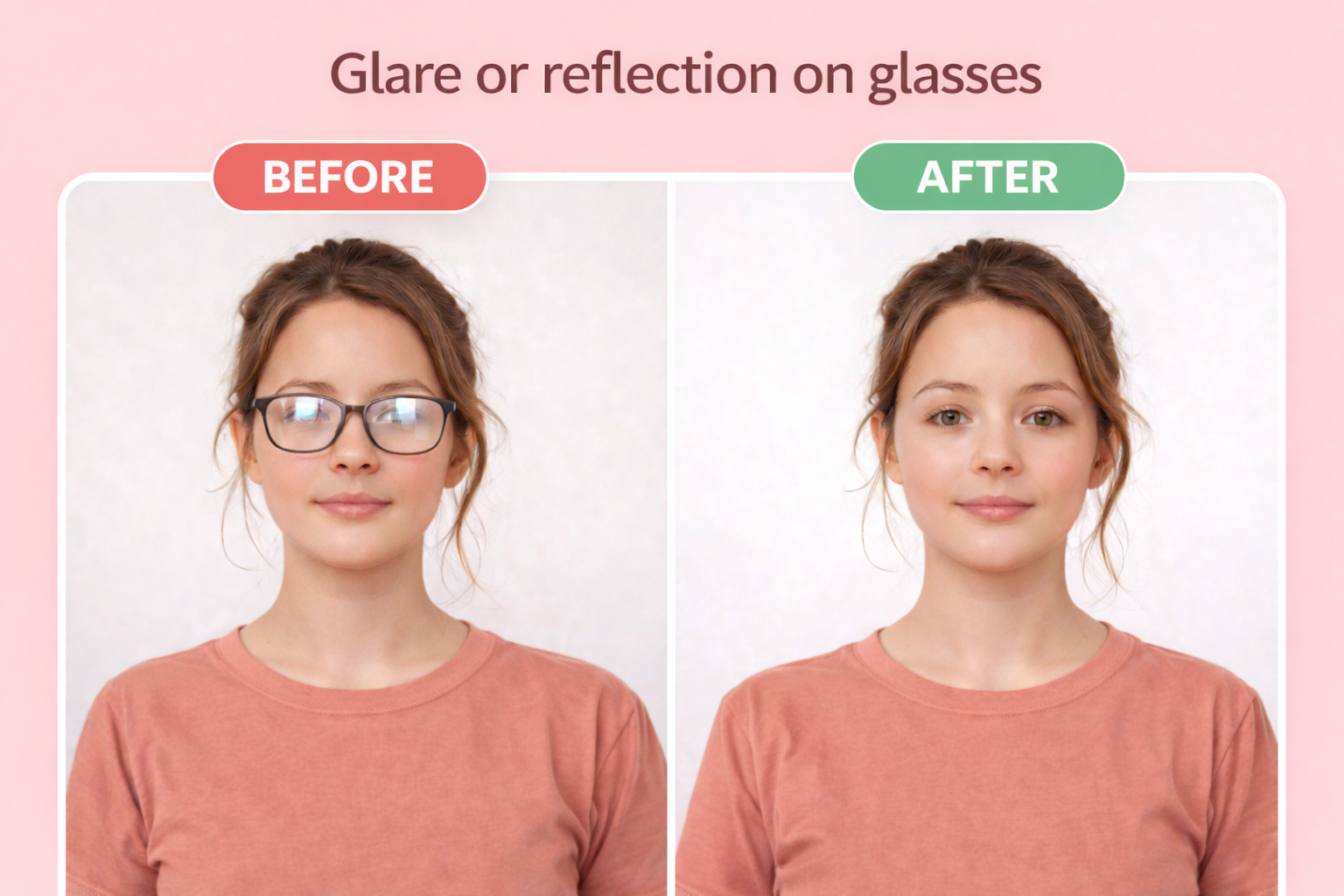
Glasses
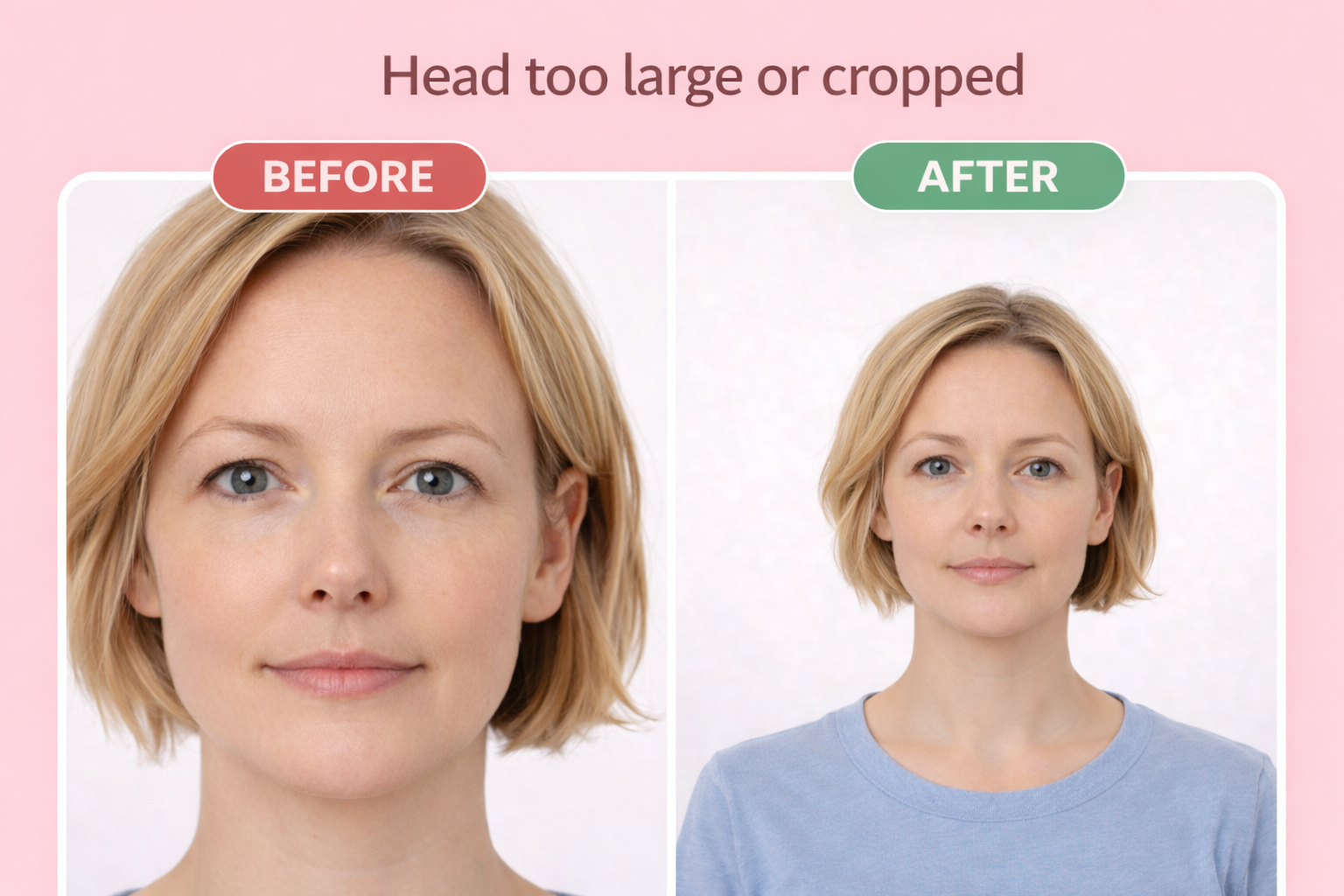
Wrong head size
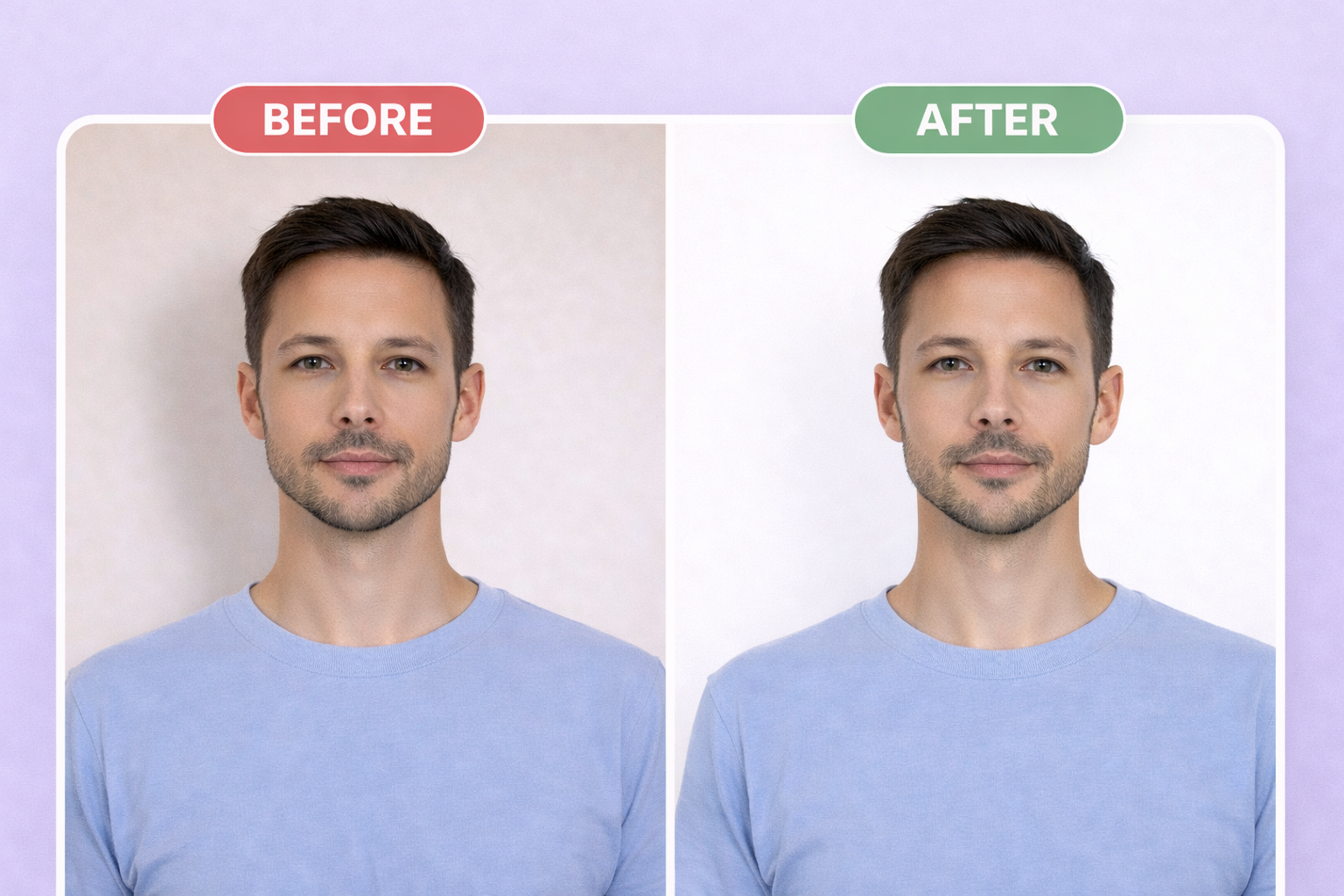
Wrong background
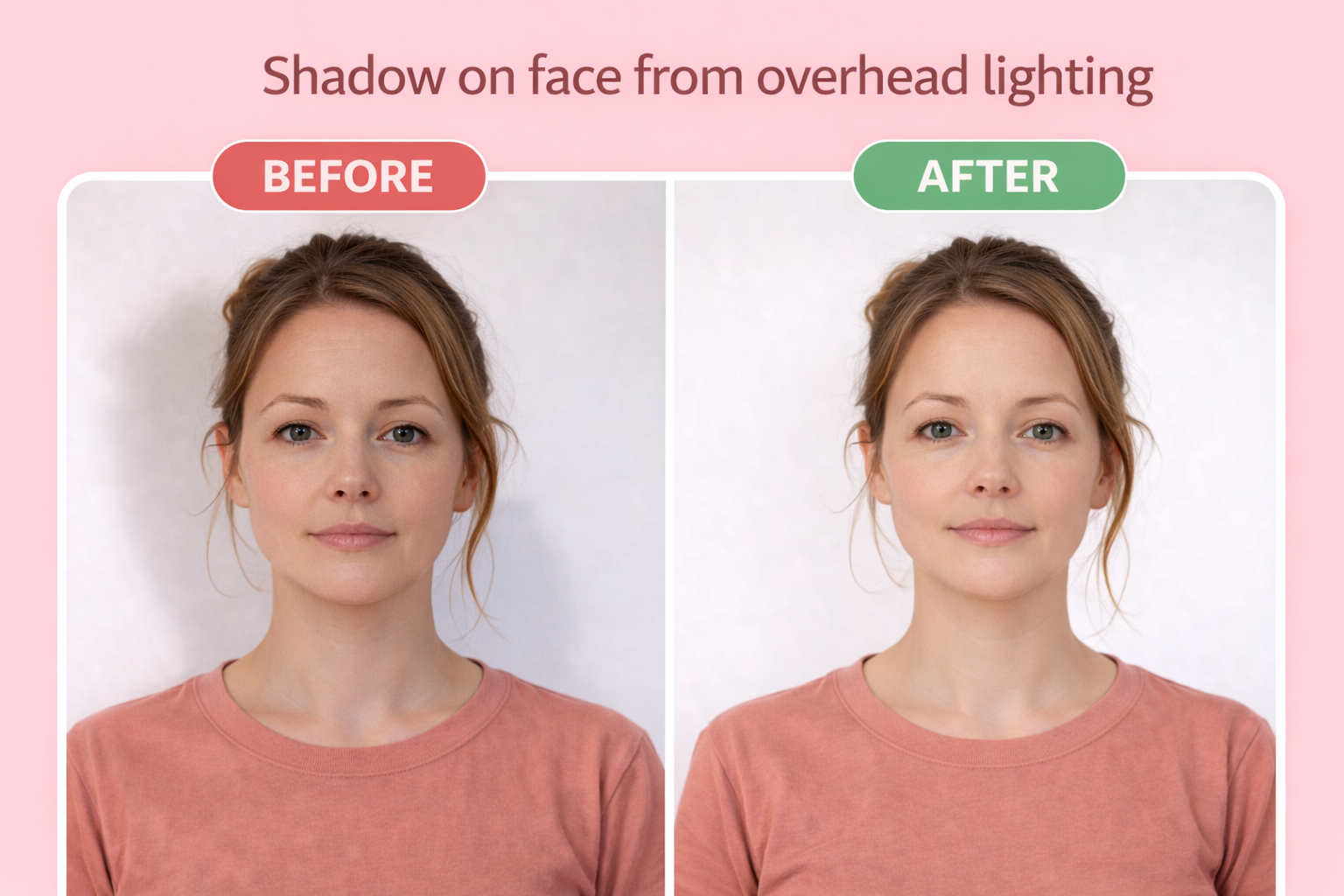
Shadow on face
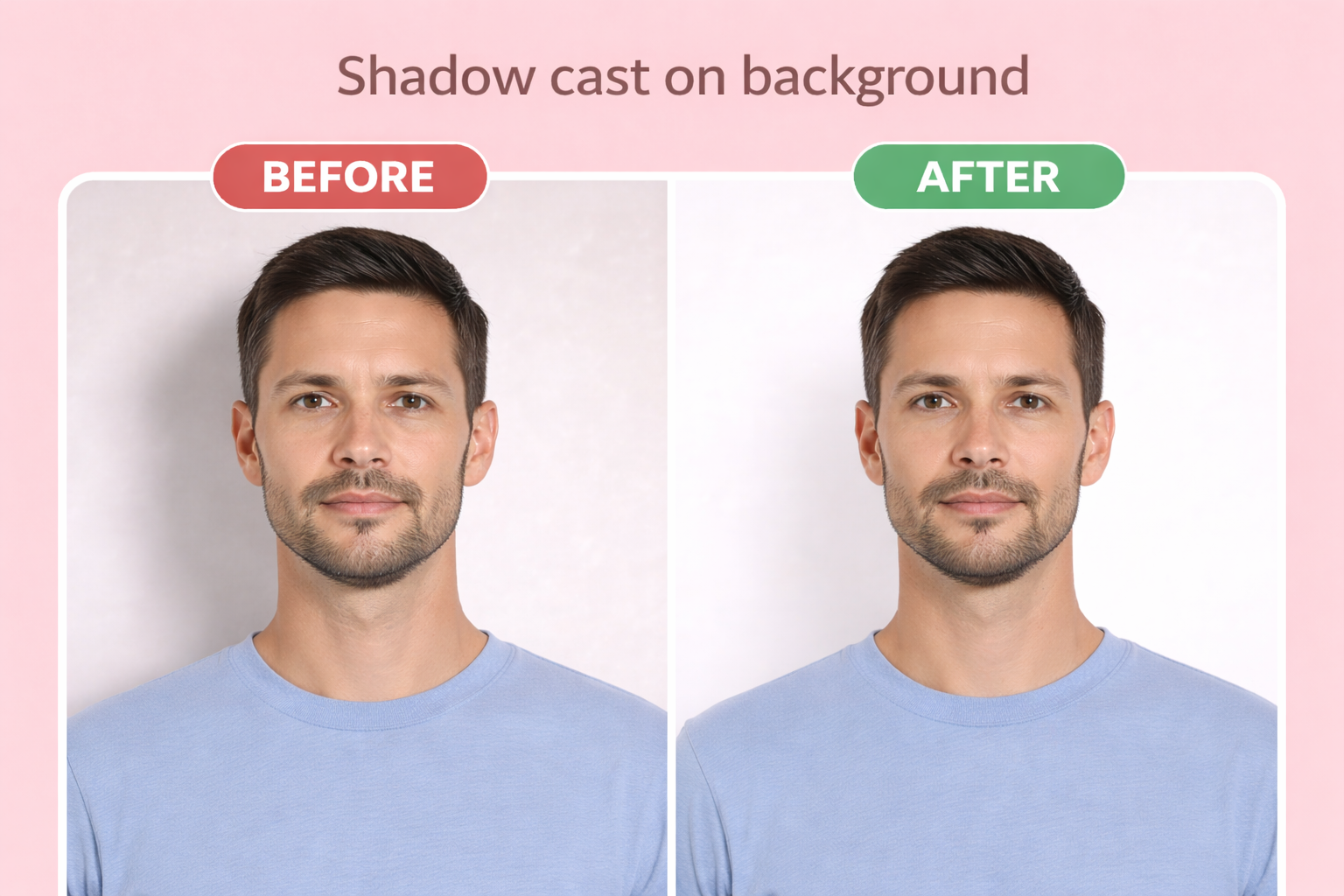
Shadow on background
IMPORTANT — Under USCIS policy PA-2025-29 (effective Dec 12, 2025), self-submitted photos are no longer accepted for most benefit requests including Form N-600. Your photo will be captured at the Application Support Center (ASC) biometric services appointment. Check the current Form N-600 instructions at uscis.gov/n-600 before mailing any printed photos.
Wearing glasses at the ASC appointment — remove all eyeglasses before your photo is taken
Printing Your Photo
For mail-in applications, print your photo on 4×6 photo paper at any drugstore. Our download includes a print-ready template with multiple photos — you only need 2 for most applications.
Use glossy or matte photo paper, not regular printer paper. When printing, select "actual size" or "no scaling" to ensure the photos are exactly 2" × 2" (51 × 51 mm).
| Paper size | 4×6 inches |
| Paper type | Glossy or matte photo paper |
| Print quality | 300 DPI minimum |
Where to print
- CVS Photo ~$0.35
- Walgreens ~$0.35
- Walmart ~$0.25
- Costco(membership required) ~$0.17
Digital Submission Requirements
For online applications, you'll upload a digital photo directly. Our tool exports photos that meet all digital requirements automatically.
| File format | JPEG |
| Dimensions | 600×600px |
| Max file size | 240 KB |
| Aspect ratio | Square (1:1) |
Frequently Asked Questions
Do I still need to submit photos with my Form N-600 (Certificate of Citizenship)?
Probably not. Under USCIS policy alert PA-2025-29, effective December 12, 2025, USCIS stopped accepting self-submitted photos for most benefit requests. Your photo is captured at the Application Support Center (ASC) biometric services appointment. Always check the current Form N-600 instructions at uscis.gov/n-600 before filing, since the printed form may still reference the older 2-photo submission rule.
Why did USCIS stop accepting self-submitted photos?
USCIS announced the change on December 12, 2025 to prevent immigration fraud through enhanced identity verification. Photos taken at the ASC are tied directly to your fingerprints, which is harder to falsify than a mailed-in printed photo.
Do I still need a passport-style photo at all?
You do not need one for the N-600 filing itself. However, many applicants prepare a compliant 2×2 inch photo for other purposes — for example, applying for a US passport after receiving the Certificate of Citizenship (a common next step). The requirements are identical to US passport photos, so one photo works for both.
What is the difference between Certificate of Citizenship and Naturalization?
Certificate of Citizenship (N-600) is for people who derived or acquired citizenship through parents. Certificate of Naturalization (N-550) is for people who naturalized themselves through Form N-400. Both fall under the same USCIS photo policy — the photo is captured at ASC, not self-submitted.
Can I use a Certificate of Citizenship as ID for travel?
No. While it proves your citizenship, you cannot use it for travel. You need a US passport for international travel and a REAL ID or passport for domestic flights. Many people apply for a US passport right after receiving their Certificate of Citizenship.
Ready to create your certificate of citizenship photo?
Compliant photo in 2 minutes. Only $1.
or drag and drop your photo here
Supports JPG, PNG • Max 10MB
Need photos for the whole family? Get everyone on one sheet for $6
Related Guides
Related Documents
Official source: https://www.uscis.gov/n-600