Can You Renew Your Passport Online? 2026 Eligibility Guide
Find out if you're eligible to renew your US passport online in 2026. Learn the requirements, costs, timeline, and whether you need a digital or printed photo.
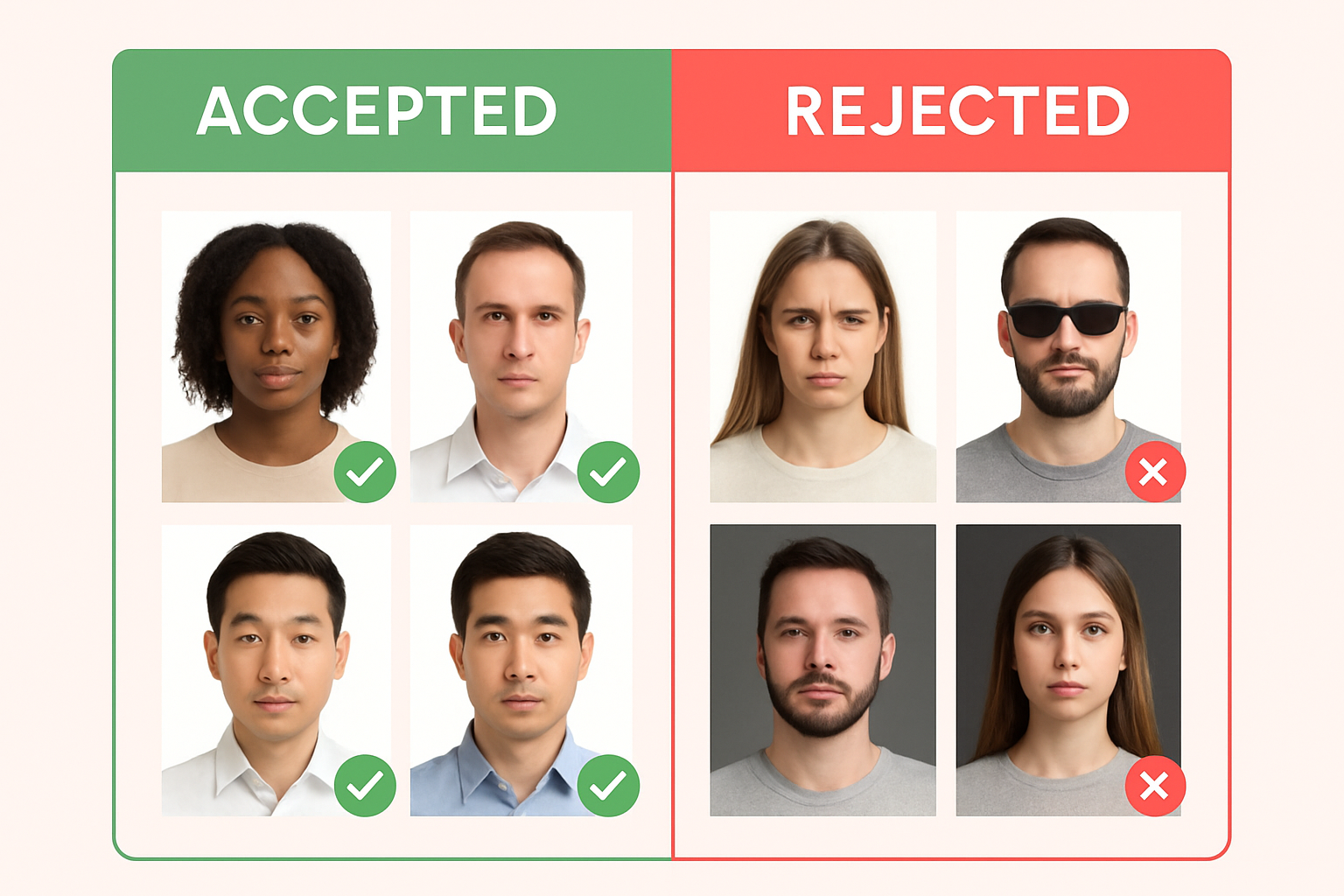
The State Department now lets eligible US citizens renew their passports entirely online through MyTravelGov—no forms to mail, no appointments needed. But not everyone qualifies. Here’s how to check if you’re eligible and what you’ll need.
Online Passport Renewal Eligibility Requirements
To renew your passport online, you must meet all of these criteria:
| Requirement | Details |
|---|---|
| Current passport status | Must have a valid US passport or one that expired within the last 5 years |
| Age when issued | You were 16 or older when your current passport was issued |
| Passport condition | Not damaged, mutilated, or lost/stolen |
| Name | Same name as on current passport (or changed by marriage/court order with documentation) |
| Issue date | Passport was issued after 2009 |
If you meet all requirements, you can apply at MyTravelGov.
When You Must Apply In Person
You cannot renew online and must apply in person if:
- Your passport was lost or stolen (even if later found)
- Your passport is significantly damaged
- You were under 16 when your current passport was issued
- Your passport expired more than 5 years ago
- You need to change your name (and don’t have legal documentation)
- It’s your first US passport ever
- Your current passport was a limited validity passport
For in-person applications, you’ll need to submit a printed passport photo along with Form DS-11 at a passport acceptance facility.
Online Renewal Costs and Timeline
Fees (2026)
| Service | Cost |
|---|---|
| Passport Book (standard) | $130 |
| Passport Card only | $30 |
| Passport Book + Card | $160 |
| Expedited processing | +$60 |
Online renewals do not require a $35 acceptance facility fee—that’s only for in-person applications.
Processing Time
| Service Level | Timeline |
|---|---|
| Routine | 6–8 weeks |
| Expedited | 2–3 weeks |
| Expedited + 1-2 day delivery | 2–3 weeks + faster shipping |
Tip: Apply at least 3 months before your trip. Some countries require 6+ months validity on your passport for entry.
Digital Photo vs Printed Photo: Which Do You Need?
This is where many people get confused:
| Application Type | Photo Format |
|---|---|
| Online renewal (MyTravelGov) | Digital upload only |
| Mail-in renewal (Form DS-82) | Printed photo only |
| In-person (Form DS-11) | Printed photo only |
For Online Renewal: Digital Photo Requirements
Your digital photo must meet these exact specifications:
- Format: JPEG (.jpg)
- Dimensions: 600×600 to 1200×1200 pixels
- File size: 54KB to 10MB
- Color profile: sRGB (not P3—this trips up many iPhone users)
- Recency: Taken within the last 6 months
Our digital passport photo guide covers all the technical requirements and common upload errors.
For Mail/In-Person: Printed Photo Requirements
- Size: 2×2 inches
- Paper: Photo-quality paper (glossy or matte)
- Quantity: 1 photo (attach with paperclip, don’t staple)
Learn how to print passport photos at home for just $0.35.
How to Upload Your Photo to MyTravelGov
Here’s the step-by-step process:
Step 1: Prepare Your Photo
Before uploading, ensure your photo:
- Has a plain white background
- Shows your full face with neutral expression
- Has no glasses (banned since 2016)
- Is properly lit with no shadows
- Meets the pixel and file size requirements
Step 2: Start Your Application
- Go to mytravel.state.gov
- Create an account or sign in
- Select “Renew Passport”
- Complete the eligibility questionnaire
Step 3: Upload Your Photo
- Click “Upload Photo” when prompted
- Select your JPEG file
- The system will automatically check for:
- Correct dimensions
- Proper file format
- Face detection and positioning
- If rejected, review the error message and fix the issue
Common Upload Errors
| Error | Cause | Fix |
|---|---|---|
| ”Wrong color profile” | iPhone P3 color space | Convert to sRGB |
| ”File too large” | Over 10MB | Compress the image |
| ”Face not detected” | Poor lighting or angle | Retake with better lighting |
| ”Background not uniform” | Shadows or patterns | Use plain white wall |
Our tool automatically converts to sRGB and ensures compliance—try it here.
Online Renewal Step-by-Step Checklist
- Verify eligibility (all 6 requirements above)
- Have current passport handy (you’ll enter details)
- Prepare digital photo meeting all specs
- Create MyTravelGov account
- Complete application form
- Upload digital photo
- Pay fee ($130 standard, $190 expedited)
- Submit application
- Mail in your current passport (prepaid label provided)
- Wait for new passport (6-8 weeks routine)
Frequently Asked Questions
Do I need to mail my old passport?
Yes. After submitting your online application, you’ll receive instructions to mail your current passport. The State Department will return it with holes punched (cancelled) along with your new passport.
Can I travel while my renewal is processing?
Not recommended. You’ll be without a passport while it’s being processed. If you have urgent travel, consider expedited service or a passport agency appointment.
What if I made a mistake on my application?
You can make changes before final submission. After submission, you may need to contact the National Passport Information Center or start a new application.
Is online renewal faster than mail?
Processing times are similar, but online applications skip the mail delivery time at the beginning. Your application starts processing as soon as you submit (vs. waiting for mail to arrive).
Can I renew a passport card online?
Yes, if you meet the same eligibility requirements. You can renew just the card ($30) or get both book and card ($160).
Create Your Digital Passport Photo
Ready to start your online renewal? You’ll need a compliant digital photo first.
Create your digital passport photo — our tool automatically:
- Removes and replaces background with white
- Crops to exact 600×600 pixel dimensions
- Converts to sRGB color profile
- Validates all State Department requirements
Download your photo for $1, then upload directly to MyTravelGov.
Ready to create your passport photo?
Get a compliant photo in 2 minutes for just $1. No signup required.