Passport Photo vs Headshot: What's the Difference?
Learn the key differences between passport photos and professional headshots. Find out why you can't use your LinkedIn photo for your passport — and how to get compliant photos fast.
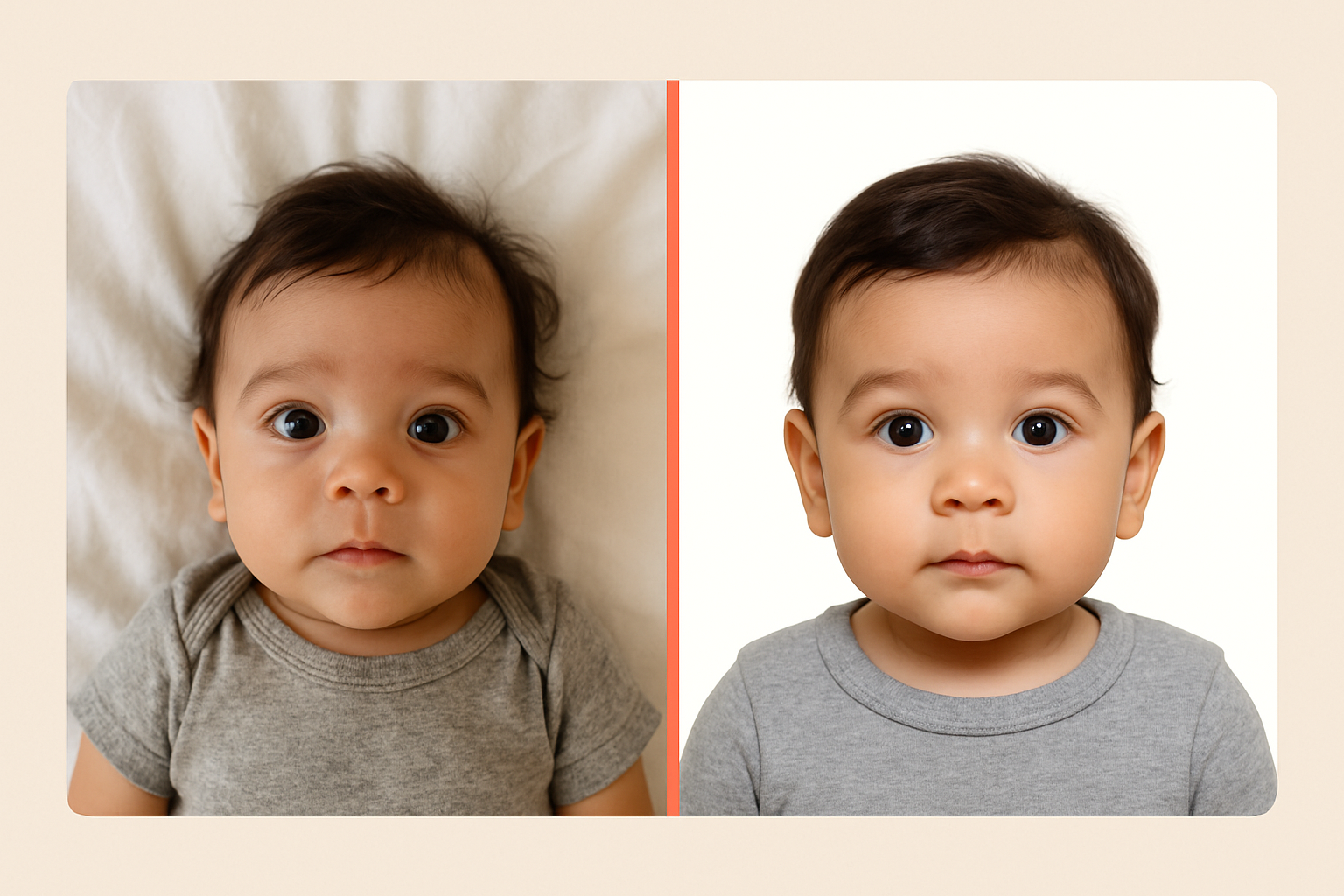
Your LinkedIn headshot looks fantastic. Professional lighting, perfect smile, maybe even a subtle filter that makes your skin glow. So why can’t you just crop it down and slap it on your passport application?
Because passport photos and headshots serve completely different purposes — and the rules couldn’t be more different. One is designed to make you look your best. The other is designed to make you identifiable. Let’s break down exactly what sets them apart.
The Core Difference: Branding vs. Biometrics
Professional headshots are marketing tools. They’re meant to present the best version of you — approachable, confident, trustworthy. Photographers use creative lighting, flattering angles, and post-processing to enhance your appearance. The goal is to make a great first impression.
Passport photos are identification documents. They’re processed by facial recognition systems and examined by border agents who need to verify you’re the person in the photo. The government doesn’t care if you look tired or if there’s a shadow under your chin. They care about accuracy and consistency.
This fundamental difference drives every single rule about what’s allowed in each type of photo.
Quick Comparison: Passport Photo vs Headshot
| Feature | Passport Photo | Professional Headshot |
|---|---|---|
| Background | Plain white or off-white only | Any color, gradients, outdoor scenes |
| Expression | Neutral, mouth closed | Smiling encouraged |
| Size | 2” x 2” (US standard) | Varies (often 8x10 or digital) |
| Head position | Straight-on, centered | Can be angled, creative poses |
| Glasses | Not allowed (US since 2016) | Typically fine |
| Retouching | Strictly prohibited | Expected and common |
| Lighting | Even, no shadows | Creative, dramatic OK |
| Recency | Within 6 months | Can use older photos |
| Attire | No uniforms, simple clothes | Professional, branded |
Passport Photo Requirements: The Non-Negotiables
The U.S. State Department has a surprisingly long list of requirements for passport photos. Miss even one, and your application gets rejected. Here’s what matters:
Size and Composition
- Exact dimensions: 2 inches by 2 inches (51mm x 51mm)
- Head size: Your head must measure between 1 inch and 1⅜ inches from chin to crown
- Centered: Your face must be centered in the frame
- Full face visible: Both ears should be visible (hair can cover them, but they need to be there)
Background and Lighting
- Plain white or off-white background — no textures, no gradients, no colors
- Even lighting with no harsh shadows on your face or behind you
- No red-eye (automatic flash issues can cause rejections)
Expression and Appearance
- Neutral expression — not smiling, not frowning, mouth closed
- Eyes open and clearly visible
- No glasses — this rule changed in 2016, and it’s strictly enforced
- Current appearance — the photo must look like you do right now
What’s Prohibited
- Filters or digital alterations to your face
- Hats or head coverings (except for religious purposes)
- Headphones or wireless earbuds
- Uniforms (military, airline, etc.)
- Photos that are overexposed, underexposed, or blurry
Feeling overwhelmed? You don’t have to memorize all this. Get a guaranteed-compliant passport photo in minutes — we check every requirement automatically.
Headshot Standards: The Opposite Philosophy
Professional headshots break almost every passport photo rule, and that’s the point. A corporate photographer’s job is to make you look distinctive and memorable, not standardized and identifiable.
Creative Freedom
- Background variety: Headshots use colored backdrops, bokeh effects, urban environments, or even natural outdoor settings
- Flattering angles: Photographers often shoot slightly above eye level or from a three-quarter angle
- Strategic lighting: Rembrandt lighting, butterfly lighting, or dramatic side lighting to sculpt your features
Expression Matters
While passport photos demand a blank expression, headshots want personality:
- A genuine smile (not forced or fake) makes you appear approachable
- Slight head tilts add visual interest
- Eye contact with the camera creates connection
Post-Processing Is Expected
Here’s where headshots really diverge from passport photos. Professional headshot retouching commonly includes:
- Skin smoothing and blemish removal
- Teeth whitening
- Under-eye circle reduction
- Hair cleanup (flyaways, stray strands)
- Color grading and contrast adjustments
- Background replacement or enhancement
This level of editing would instantly disqualify a passport photo. The State Department explicitly prohibits “digitally altered” images that change your appearance.
Can You Use a Headshot as a Passport Photo?
Short answer: Almost certainly not.
Here’s why your existing headshot probably won’t work:
- Wrong background — Unless you happened to use a plain white backdrop, it’s already disqualified
- You’re smiling — That warm, professional smile breaks the neutral expression rule
- Wearing glasses — Most professionals keep their glasses on for headshots
- It’s been retouched — Any skin smoothing or blemish removal is technically prohibited
- Wrong dimensions — Headshots aren’t 2x2 inches, and cropping changes the head-to-frame ratio
- It might be old — Passport photos must be taken within the last 6 months
Even if your headshot somehow meets all technical requirements, there’s a deeper problem: the State Department can reject photos that look “staged” or overly professional. They want a current, accurate representation of your face — not your best-self marketing material.
The Exception: Raw, Unedited Files
If you have access to the original, unedited files from a recent headshot session, and the photographer happened to shoot a few frames against a white background with neutral expression and no glasses… you might be able to use one. But that’s a lot of ifs.
The easier path? Take a new photo specifically for your passport. It takes 5 minutes, and you’ll know it’s compliant.
Can You Use a Passport Photo as a Headshot?
Technically yes, but why would you?
Your passport photo shows you at your most neutral, most standardized, most… bland. It’s designed to strip away personality so machines can match biometric points on your face. That’s the opposite of what you want for:
- LinkedIn profiles
- Company websites
- Speaker bios
- Dating apps
- Social media
A proper headshot is an investment in your personal brand. Your passport photo is a government requirement. They’re solving different problems.
Taking a Photo That Works for Both? Not Really Possible
Some people try to find a middle ground — a photo neutral enough for a passport but nice enough for professional use. This doesn’t work because:
- Neutral expression looks awkward in professional contexts
- Plain white backgrounds scream “ID photo”
- No retouching means every blemish shows
- Harsh, even lighting isn’t flattering
You need two different photos for two different purposes. The good news? Getting a passport photo doesn’t require a studio visit or expensive equipment anymore.
How to Get a Passport Photo Without the Hassle
Traditional passport photo options all have problems:
- Drugstore photo kiosks: $15+, often reject compliant photos
- Post office: Limited hours, long lines
- Professional studios: Overkill for a 2x2 inch photo
Here’s the modern approach: Use your smartphone and let AI verify compliance. You take a photo with your phone’s camera, our system checks every State Department requirement, and you get a printable file in minutes.
No appointments. No driving around. No guessing whether your photo will be accepted.
Your passport photo will be:
- ✓ Correctly sized (2x2 inches, proper head dimensions)
- ✓ Properly cropped and centered
- ✓ Checked for shadows, red-eye, and exposure issues
- ✓ Verified against all current requirements
- ✓ Guaranteed acceptance or your money back
When to Get Each Type of Photo
Get a New Passport Photo When:
- Applying for a new passport or renewal
- Your appearance has changed significantly
- It’s been more than 6 months since your last passport photo
- Applying for visas to other countries
Get a New Headshot When:
- Starting a new job or role
- Building a personal brand or portfolio
- Your current headshot is more than 2-3 years old
- You’ve changed your hairstyle, weight, or overall look significantly
Frequently Asked Questions
Why can’t I smile in my passport photo?
Facial recognition systems work best with neutral expressions. A smile changes the shape of your eyes, cheeks, and mouth, making biometric matching less reliable. The State Department requires a neutral expression to ensure consistency across all passport photos.
When did the glasses rule change?
As of November 2016, the U.S. State Department no longer accepts passport photos where the applicant is wearing glasses. This applies even to prescription eyewear. The only exceptions are for medical reasons with a signed doctor’s note.
Can I retake my passport photo if I don’t like how it looks?
Yes — and you should, if there’s an obvious issue. However, remember that passport photos aren’t meant to be flattering. Minor issues like an unflattering angle or slightly tired eyes won’t cause a rejection. Focus on compliance, not aesthetics.
How recent does a passport photo need to be?
The photo must be taken within 6 months of your application date. If your appearance has changed significantly (major weight change, new hairstyle, different hair color, etc.), you should take a new photo even if your previous one is technically recent enough.
What if my passport photo gets rejected?
If the State Department rejects your photo, they’ll specify the reason. Common issues include shadows on the face, incorrect dimensions, or non-neutral expressions. You’ll need to submit a new, compliant photo. Using a verification service prevents most rejections.
Are passport photo requirements the same worldwide?
No. Different countries have different requirements for size, background color, and expression. For example, some countries allow slight smiles, while others have different dimension requirements. Always check the specific requirements for the country issuing your passport or visa.
Ready to get your passport photo? Skip the guesswork and get a guaranteed-compliant photo in minutes. Start now →
Ready to create your passport photo?
Get a compliant photo in 2 minutes for just $1. No signup required.