Passport Photo Paper: Glossy vs Matte & Print Quality Requirements (2026)
Should you print passport photos on glossy or matte paper? Learn the official requirements, best paper types, and how to get print-quality photos at home.
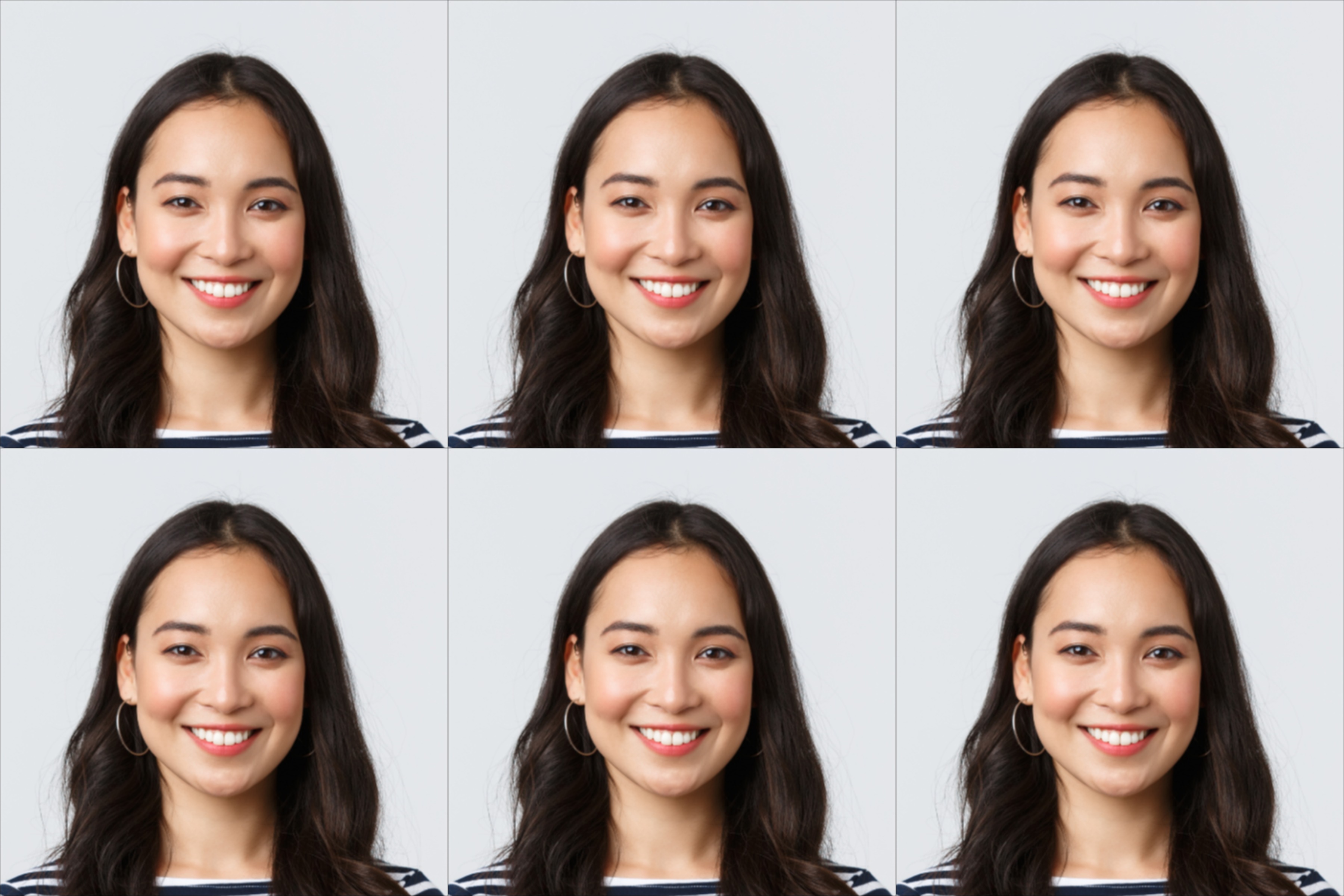
When printing your passport photos, does the paper type matter? Should you use glossy or matte? What about the paper weight?
Here’s everything you need to know about passport photo paper requirements.
The Official Requirement
The US State Department says:
“Photo must be printed on photo-quality paper.”
That’s it. They don’t specify glossy vs matte, or a particular brand. The key requirement is photo-quality paper — not regular printer paper.
Glossy vs Matte: Which Is Better?
Glossy Paper
- Pros: Sharper details, more vibrant colors, professional look
- Cons: Shows fingerprints, can have glare
- Verdict: Most commonly used and accepted
Matte Paper
- Pros: No fingerprints, no glare, easier to handle
- Cons: Slightly less sharp, colors less vibrant
- Verdict: Also accepted, some people prefer it
Bottom line: Both glossy and matte are accepted. Glossy is more common, but matte works fine too.
What Paper Should You Avoid?
❌ Regular Printer Paper
Standard copy paper (20 lb) is too thin and absorbent. The ink spreads, making your photo look fuzzy. This will likely be rejected.
❌ Cardstock
Too thick and doesn’t have the right surface for photo printing.
❌ Textured Paper
Any paper with texture (linen, canvas, etc.) is not acceptable.
❌ Very Thin Photo Paper
Ultra-thin budget photo paper can curl or feel flimsy.
Recommended Paper Types
For Home Printing
- HP Advanced Photo Paper (glossy or soft gloss)
- Canon Photo Paper Plus Glossy II
- Epson Premium Photo Paper
- Amazon Basics Photo Paper
Look for paper that’s:
- Labeled as “photo paper”
- 4×6 inch size (standard photo size)
- At least 60 lb weight (or 200+ gsm)
For Store Printing
When printing at CVS, Walgreens, Costco, or Walmart:
- Select “4×6 photo print”
- They use professional photo paper automatically
- No need to specify glossy vs matte (stores usually use glossy)
Print Quality Requirements
Beyond paper type, your print quality matters:
Resolution
- Minimum 300 DPI (dots per inch)
- Higher is fine (600 DPI looks even sharper)
- Don’t enlarge low-resolution images
Color Accuracy
- Should look like you (natural skin tones)
- Not oversaturated or washed out
- No color casts (everything looks blue/yellow/etc.)
Sharpness
- Face should be clearly in focus
- No blur or softness
- No visible pixels or compression artifacts
How to Get the Best Print Quality
Option 1: Print at a Photo Store
The easiest way to get quality prints:
- Upload your photo to CVS/Walgreens app
- Select 4×6 print
- Pick up in store (~$0.35)
Stores use commercial photo printers with calibrated colors and proper photo paper.
Option 2: Print at Home
If you have a decent photo printer:
- Use photo paper (not regular paper)
- Select “photo” or “best quality” in print settings
- Make sure color management is correct
- Print a test first
Option 3: Online Print Services
Services like Shutterfly, Snapfish, or Nations Photo Lab will mail you prints. Good quality, but takes a few days.
Common Print Quality Problems
Problem: Photo Looks Dark
Cause: Screen brightness differs from print Solution: Print looks should match monitor at 50% brightness
Problem: Colors Look Wrong
Cause: Color profile mismatch Solution: Use sRGB color profile, disable color correction
Problem: Photo Looks Fuzzy
Cause: Low resolution source image Solution: Use at least 600×600 pixel image for 2×2 inch print
Problem: Ink Smearing
Cause: Wrong paper or wet ink Solution: Use photo paper, let dry before handling
How Many Photos Per Print?
A standard 4×6 inch photo print can fit:
- 6 passport photos (2×2 inch each)
- Arranged in a 2×3 grid
This is why One Dollar Passport Photo gives you a 4×6 template — you print one 4×6 photo for $0.35 and get 6 passport photos out of it.
Frequently Asked Questions
Does passport photo paper need to be glossy?
No. Both glossy and matte photo paper are accepted for US passport photos. The key requirement is using photo-quality paper, not regular printer paper.
Can I print passport photos on regular paper?
No. Regular printer paper is too thin and absorbent, making the photo look fuzzy. You must use photo-quality paper for passport photos to be accepted.
What’s the best paper for passport photos?
Any brand of photo paper (glossy or matte) works. Popular choices include HP Advanced Photo Paper, Canon Photo Paper Plus, or Epson Premium Photo Paper. When printing at stores, they use professional photo paper automatically.
How thick should passport photo paper be?
Photo paper should be at least 60 lb (or 200 gsm). Standard photo paper from major brands meets this requirement. Avoid ultra-thin budget paper.
Can I print passport photos at home?
Yes, if you have a photo printer and photo paper. Use the highest quality print setting and photo-quality paper. However, printing at CVS/Walgreens for $0.35 often produces better results.
Get Print-Ready Passport Photos
One Dollar Passport Photo gives you a 4×6 template with 6 passport photos, ready to print at any photo store for $0.35. Just upload, process, and print.
Ready to create your passport photo?
Get a compliant photo in 2 minutes for just $1. No signup required.